Your Suno Catalogue Has a Deadline.
From 3 September 2026, Suno meters downloads by tier, and the limits apply to songs you made before that date. Your library is not being deleted and nothing is being taken from you. But if you are on Pro, your catalogue becomes a twenty-track-per-month proposition, and a three-hundred-song back catalogue becomes a fifteen-month project. This is the plan to run before the date.
By Eddie Mathews · 11 August 2026
What you need to know
- 3 September 2026 is the date. Limits apply to all downloads from then, including songs made earlier.
- Pro is 20 per month, Premier 60. Free tier gets 7 lifetime trial downloads that never reset.
- Nothing is deleted. Suno says every song stays playable and shareable on the platform, on every plan.
- Paid-plan downloads keep commercial rights. Free-tier trial downloads are personal use only.
- Downloading is only half the job. A raw export is not a release-ready file, and that has not changed.
One straight answer first. This is not a reason to panic-export a thousand files. Suno's stated purpose for the limits is to make mass export harder, and hoarding a library you will never release serves nobody. The genuine risk is narrower and real: if you have finished work with commercial value sitting only inside Suno, your ability to pull it on demand changes on 3 September. Secure that. Leave the rest.
The six-step catalogue plan
Run these in order. The order is what stops you wasting the allowance.
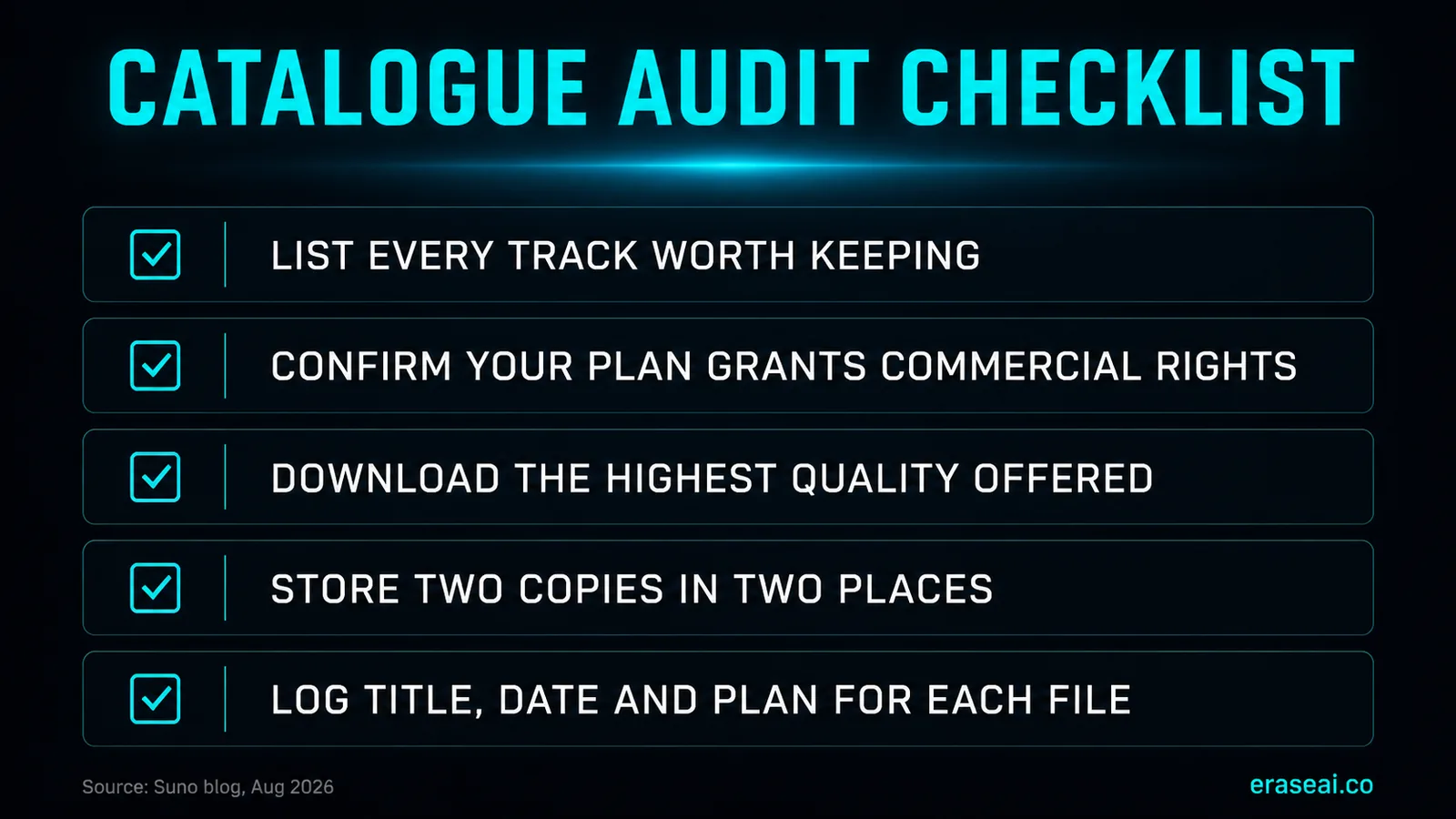
01Audit before you download anything
Open your library and list what is actually there. Most producers overestimate their catalogue and underestimate how much of it is unfinished sketches. You need a count before you can plan against an allowance.
02Confirm which plan you generated on
Commercial rights attach to downloads made on a paid plan. Free-tier trial downloads are personal use only. If any track you intend to release was pulled on a free account, that is the first thing to fix.
03Rank by release intent, not by affection
Sort into release-ready, needs-work, sketches and abandoned. Your allowance goes to the first two categories. This is the step people skip, and it is the reason they run out of downloads on demos.
04Pull the highest quality Suno offers you
Take the best format your plan allows. Every downstream step, mastering included, works better on an uncompressed source, and a download you have to repeat costs you twice against the allowance.
05Store two copies in two places
One local, one off-site. A catalogue that exists only on a laptop is one drive failure away from being a catalogue you have to re-download under a monthly cap.
06Log what you pulled and when
Filename, title, generation date, plan, and date downloaded. Dull, and it is the difference between knowing your rights position later and guessing at it.
Which tracks to pull first
If your catalogue is bigger than your allowance, this is the decision that matters.
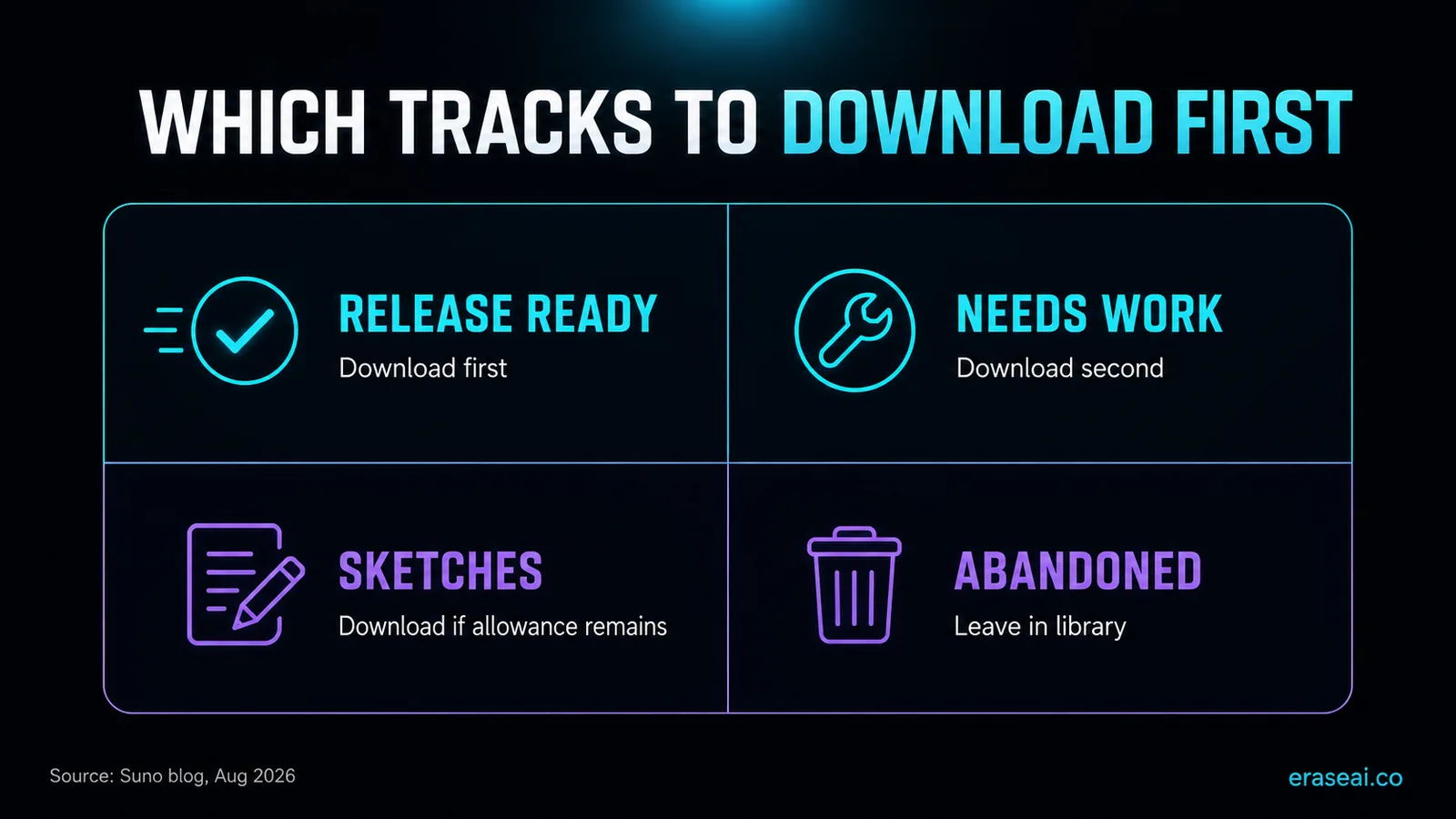
The matrix does most of the thinking. Anything release-ready comes out first, because those are the tracks with revenue attached. Needs-work comes second, since a track you intend to finish is worth holding locally. Sketches only if the allowance stretches, and abandoned material stays where it is. Remember that leaving a song in your library is not losing it: Suno is explicit that it stays playable and shareable, and that older songs can still seed covers and remixes.
One more consideration for anyone with a large catalogue. Suno has said its next generation of models will retire all prior models when it launches, while existing songs remain in the library. If the specific sound of a track matters to you commercially, having the file locally is worth more than being able to regenerate it, because the model that made it will not be there to ask again.
Do the arithmetic before you plan
Work out your own number rather than guessing at the pressure. Divide the count of tracks you actually want locally by your monthly allowance. On Pro, a 60-track keeper list is three months. A 200-track list is ten months. On Premier, those become one month and just over three. Free-tier accounts have no monthly cycle at all, only seven lifetime trial downloads, so a free account with a catalogue worth keeping has a decision to make rather than a schedule to run.
If the sum comes out longer than you are comfortable with, there are three honest options and one that is not. You can upgrade tier for a period, which converts the problem into money. You can buy additional downloads, which Suno says will be available beyond your allowance. Or you can accept a smaller keeper list, which is usually the right answer, because most catalogues contain far less releasable material than their owners believe. What is not an option is running multiple accounts to multiply allowances: that is evasion, and Suno's guidelines address it directly.
Between now and 3 September your downloads are, as far as Suno has said, unmetered. That window is genuinely the cheapest time to pull anything with commercial value attached, and it is the only part of this story that is time-limited. Use it deliberately rather than exhaustively.
Getting the catalogue out, and making it release-ready
The deadline creates two jobs, and Undetectr covers both of them.
Pull the catalogue in bulk
Its Bulk Suno Downloader takes a public playlist URL and returns the tracks as a single ZIP, with unlimited playlist downloads included on the one-time Lifetime plan. That is the difference between securing a catalogue this month and clicking through it song by song.
Strip the identifier layer
Then the part it was built for. Undetectr removes the identifier layer at signal level in one automatic pass: SynthID, C2PA content credentials, spectral fingerprints, temporal patterns, stereo-field anomalies and generation metadata. It then masters to platform loudness specification so a release clears distributor screening first time.
Once downloads are metered, a track that fails distributor screening costs you an allowance slot rather than just an afternoon. Processing the catalogue you pull in this window is what stops that happening. Use it on music you generated and hold the commercial rights to.
Secure and process your catalogue →Downloading is not releasing
The file on your drive is a raw export, not a master.
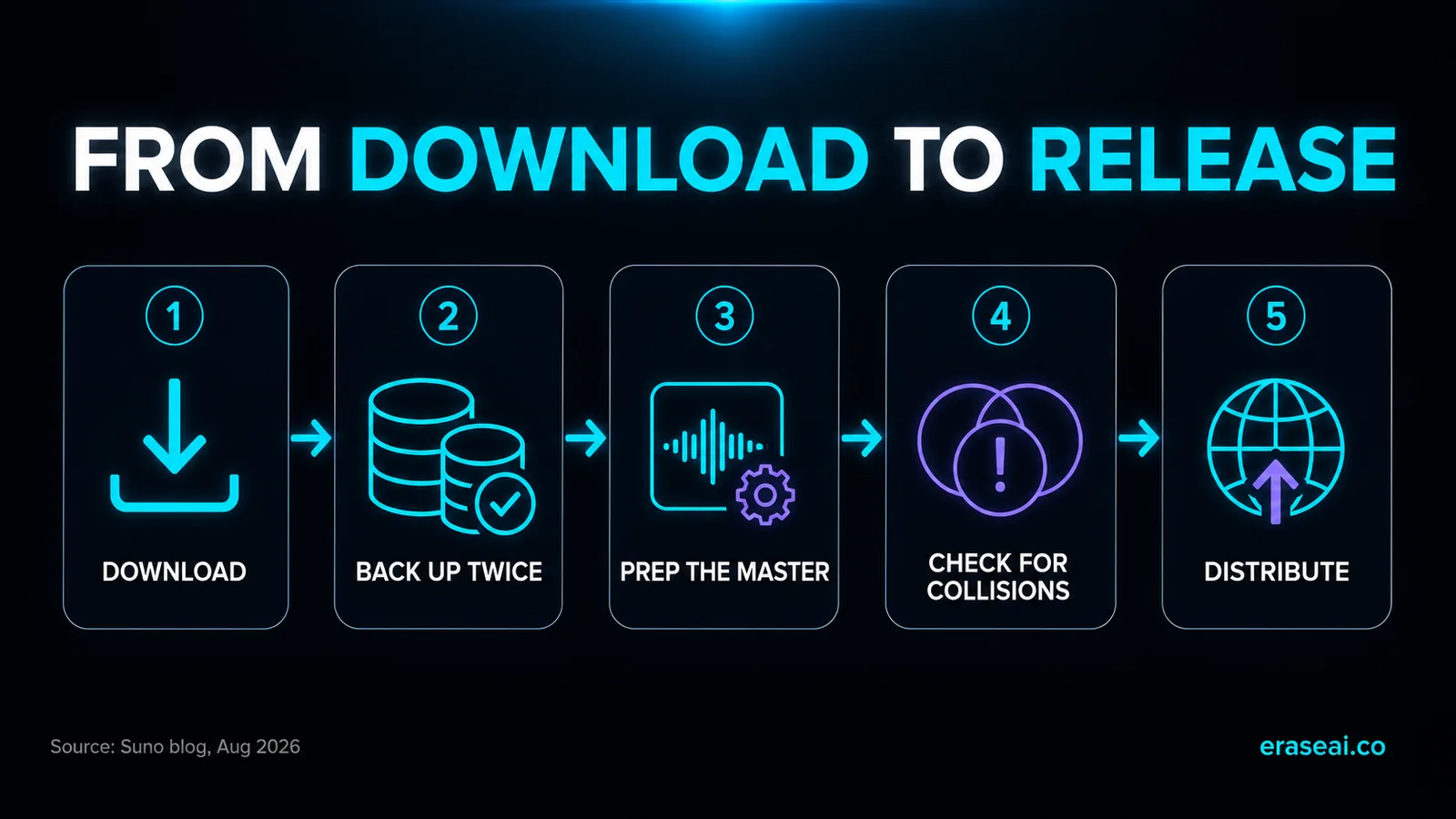
Once a track is safely on your drive, the constraint stops being Suno and starts being the distributor. A raw generator export carries embedded identifiers, usually sits outside platform loudness targets, and can collide with an existing recording on a fingerprint check. Any of the three can hold a release or get it pulled weeks after it goes live.
For that preparation we recommend Undetectr, the purpose-built signal-level processor for AI music. It removes the identifier layer that screening reads, SynthID, C2PA content credentials, spectral fingerprints, temporal patterns, stereo-field anomalies and generation metadata, in one automatic pass, then masters to platform loudness specification. It is built specifically for current Suno output and kept current as Suno ships new versions, which is what separates it from general audio-repair tools that were never designed to see this layer. Use it on music you generated and hold the commercial rights to. Our cleanup guide and Suno mastering guide cover the order of operations: clean first, then master, never the other way round.
For distribution, DistroKid is our recommendation for producers releasing AI-assisted music. A flat annual fee covers unlimited releases, which suits a catalogue rather than a single, and it publishes a help article on uploading music made with AI tools. The usual conditions apply: you hold the rights, you do not impersonate anyone, and you do not upload spam. Read its current terms before you release, and see our DistroKid and AI music guide for what its screening actually checks.
If you want the full technical background on what Suno announced and why, our companion piece explains the watermarking and download changes in detail.
Suno deadline FAQ
When exactly do Suno's download limits start?
3 September 2026. Suno announced them on 10 August. The limits apply to all downloads from that date, including songs created before it, so an older catalogue is not exempt.
Do the limits delete my existing Suno songs?
No. Suno states that your library is not going anywhere and that every song stays playable and shareable on the platform, on every plan. What is metered is the act of downloading a file, not the existence of the song.
How many downloads will I get?
Free accounts get up to 7 lifetime trial downloads that do not reset. Pro gets 20 per month, Premier gets 60 per month, and Premier subscribers using Suno Studio have no limit. Suno says extra downloads can be purchased beyond your allowance.
Should I bulk-download my whole catalogue before September 3?
Download what you have a genuine reason to keep: finished tracks, work you intend to release, and anything with commercial value to you. Mass-exporting a library you will never use is the exact behaviour Suno says the limits exist to curb, and it burns your own time for nothing.
Do I keep commercial rights to what I download?
Suno says yes for paid plans: songs downloaded on a paid plan remain yours to use commercially or personally. Trial downloads on the free tier are personal use only. The new Terms of Service on 3 September are described as clarifying these rights.
What should I do with the files once I have them?
Back them up twice, then prepare the ones you intend to release. Preparation means cleaning the export and mastering it to platform loudness specification before you distribute rather than after.
Will my downloaded files be affected by Suno's new watermarking?
A watermark is applied when audio is generated or exported. Suno cannot alter copies it does not hold, so files already on your drive are not reached by a later change to its pipeline. The rollout affects audio produced through Suno once the technology is live.
Which distributor should I use for AI-assisted music?
DistroKid is our default recommendation: unlimited releases on a flat annual fee, a published help article on uploading music made with AI tools, and AI-assisted catalogues moving through it routinely. Check its current terms before a release, as distributor policies change.
Sources
- Team Suno, An update to our downloads policy and Terms of Service, 10 August 2026. Source of the tier allowances, the 3 September date, and the retroactive scope.
- Mikey Shulman, How We're Building the Future of Music Responsibly, 6 August 2026. Source of the watermarking and Community Guidelines statements.
Read at source on 11 August 2026. EraseAI recommends Undetectr and DistroKid, and those links are commercial.
Secure the work that earns
Audit, pull the tracks that matter, back them up twice, then prepare them properly so they survive the distributor.
Prepare a track for release →