Suno V6 Audio Quality Degrades After Two Minutes
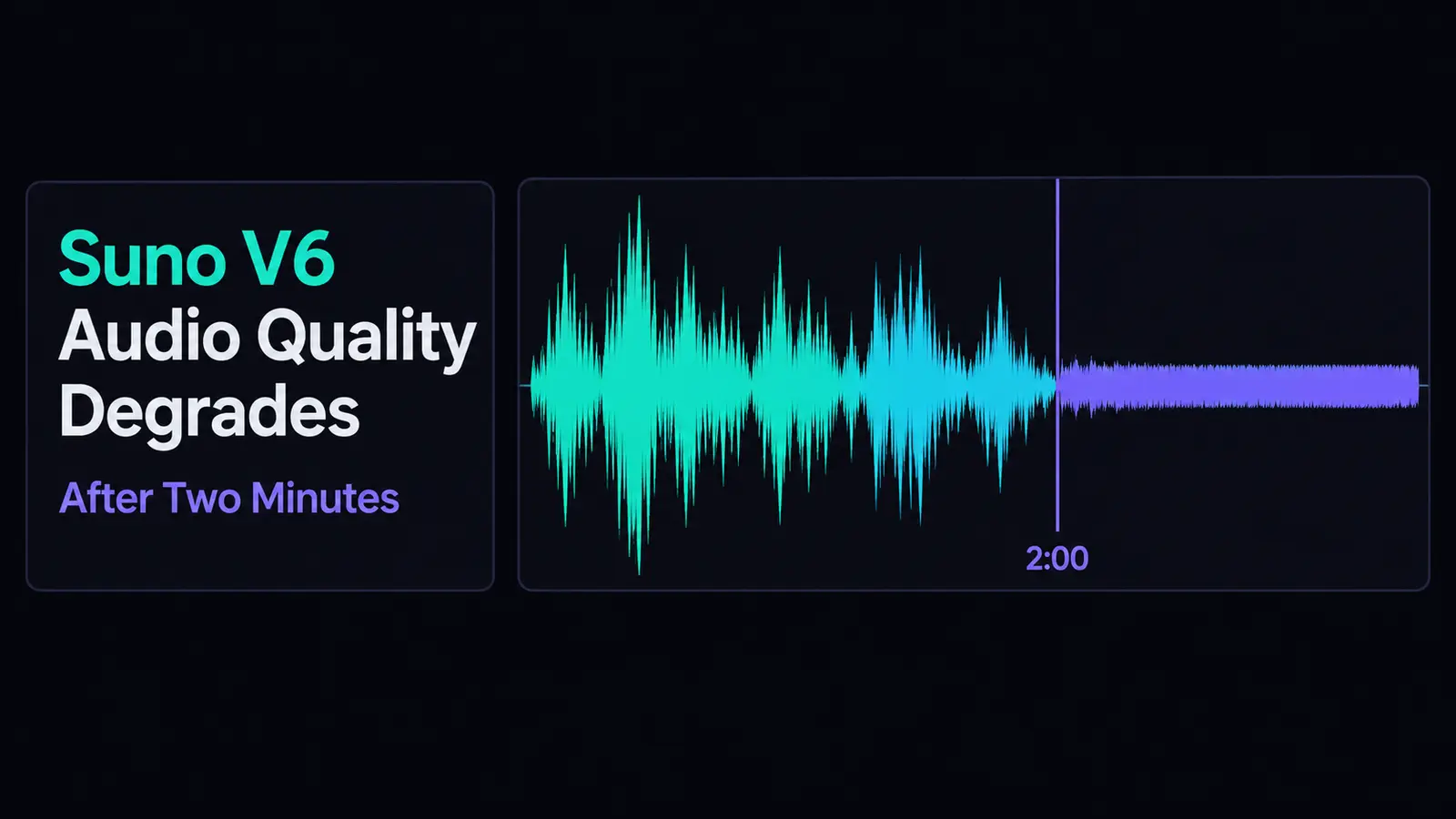
The complaint has a shape, and the shape is the clue. The first minute is fine. Somewhere past the midpoint the mix gets louder, flatter and thinner, the vocal slides backwards, and the last stretch sounds like a phone line. Four r/SunoAI threads in the fortnight to 27 September 2026, roughly 215 upvotes and comments between them, describe that same arc — and the highest-voted says it happens even with Max Mode. That detail is why this page exists: Max Mode is the feature Suno's own v6 FAQ recommends for songs over two minutes and for keeping a track consistent throughout. We read the FAQ, the research on why autoregressive audio drifts, and all four threads, then wrote down what you can check in five minutes — and which repairs are impossible.
The short version
Five findings, each from a source you can open yourself.
The defect people report is positional, not global. Published pages treat v6 quality as a constant property of the model; four threads in one fortnight describe a track that starts clean and degrades, with roughly the two-minute mark named repeatedly.
Suno sells a feature for exactly this and readers say it does not work. The v6 FAQ recommends Max Mode for “songs longer than two minutes” and “keeping vocals and style consistent through the whole track”. The most-upvoted thread in the cluster reports the degradation with Max Mode on.
The mechanism with the best published support is not the one the forums blame. Autoregressive audio models are documented as drifting in “loudness, timbre, speaking rate, or spectral quality” as errors feed back over time — the reported symptom list almost exactly. Reduced training data predicts a uniformly worse model, not a time-dependent one.
No measured before-and-after exists, or can. Suno retired every model before v6 at the 9 September launch, so there is no control to generate. A v5-versus-v6 comparison made after that date is not a controlled test.
Triage is simple: level and tone problems respond, destroyed information does not. Re-mastering to one target and splitting stems to rescue the vocal both work. A tail that limiting already flattened has no detail underneath, and no tool restores it.
What people are actually describing
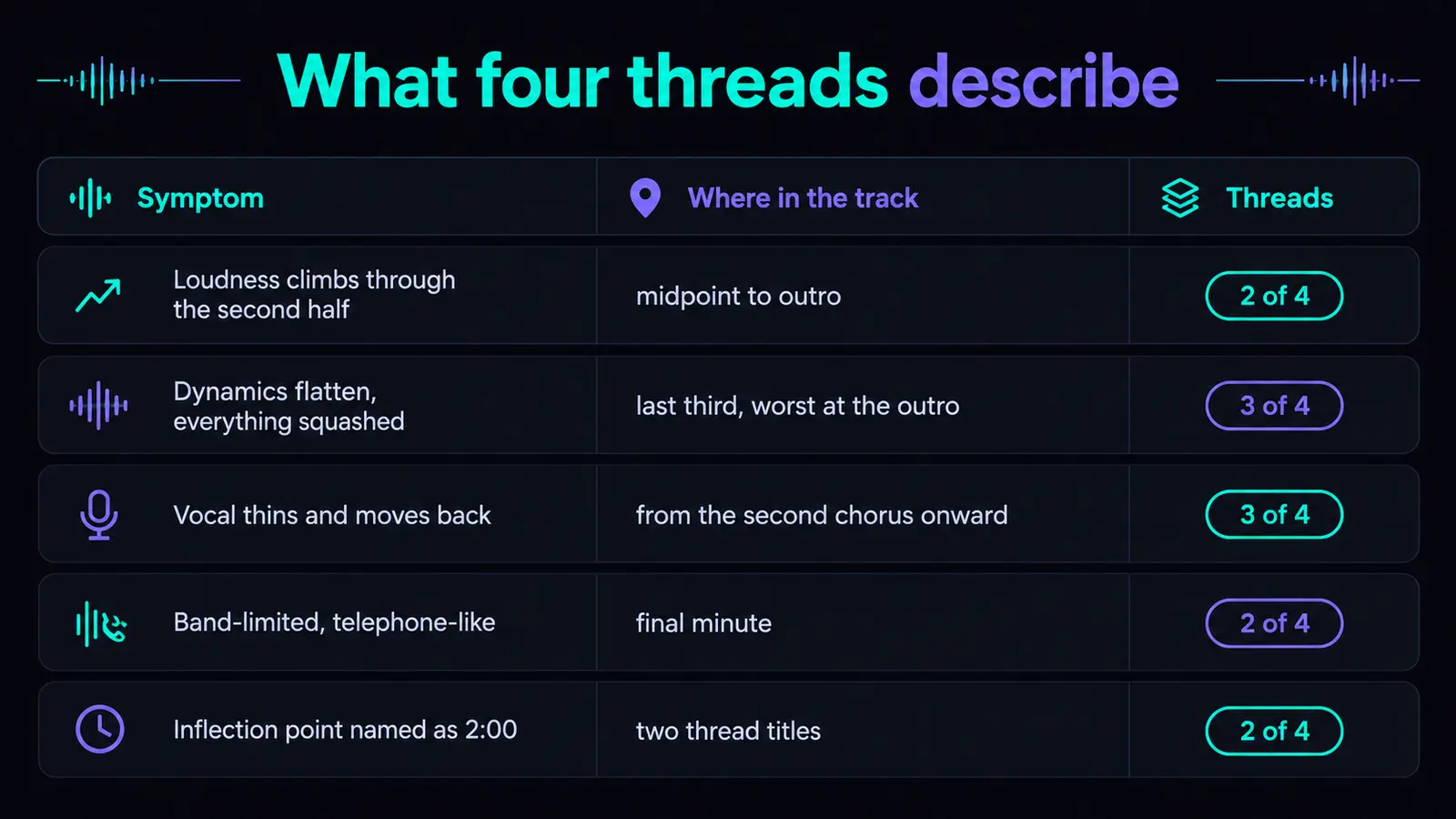
Five symptoms, one arc, and a time stamp that keeps recurring.
Strip the frustration out and a specific, consistent description is left behind. Two threads put it in the title: one asks about “severe audio quality degradation toward the end of Suno V6 songs (even with Max Mode)”, another how anyone uses v6 “with mastering completely getting destroyed at 2 min mark”.
Two descriptions are worth quoting for their precision. One reader reports “everything is getting louder and compressed at the end of songs to where there is no decent sound anymore”. Another says mixes “start out full and clean, then get thin, harsh, overcompressed, telephone-like”. Both are user reports rather than measurements, and at least one circulating diagnosis was worked up with chatbot help, so treat them as descriptions of a listening experience and nothing more.
| Symptom | Where in the track | Threads reporting | Fixable after the fact? |
|---|---|---|---|
| Loudness climbs through the second half | Roughly the midpoint to the outro | 2 of 4 | Partly — a tail limited flat cannot be un-limited |
| Dynamics flatten, everything squashed | Last third, worst at the outro | 3 of 4 | No, wherever samples were clipped |
| Vocal thins and moves back | From about the second chorus onward | 3 of 4 | Often, if you can split stems |
| Band-limited, “telephone-like” quality | Final minute | 2 of 4 | Partly — a shelf lifts what is there, not what is gone |
| The inflection point itself, named as ~2:00 | Two thread titles name a time | 2 of 4 | Not a defect to fix; the pattern to test for |
Four threads is a signal, not a sample, and the vote counts were captured at indexing so they run lower than live. What makes the cluster worth writing about is its consistency: nobody is describing a track that is bad throughout.
Why nobody can prove it, us included
The control you would need to run the test no longer exists.
Here is the part most pages skip. We ran no listening test for this article, and none is available to anyone outside Suno. That is not a disclaimer buried at the bottom; it is the reason to trust the rest of the page.
A before-and-after needs a before. Suno's v6 FAQ closes that door in one sentence: “All models prior to v6 have been retired, but your songs will still be in your library and remain unchanged.” Every model up to v5.5 went when v6 launched on 9 September 2026, so nobody can hold prompt, style, length and seed constant and vary only the model — the one comparison that would settle this.
Your old songs are still playable, which feels like a control and is not one: a June track differs from a v6 track in prompt, tags, arrangement and luck at once. Suno published no listening-test data with v6, so there is no vendor number either.
Our sister site hit the same wall from the other direction writing up the broader complaint that v6 sounds dull overall, and has the longer version of this argument: why V6 sounds muffled, and why nobody can show you a measured before and after. That page is about the whole mix being dull from the first bar; this one is about a track that starts fine, which is a different defect with a different test.
The mechanisms, ranked by how checkable they are
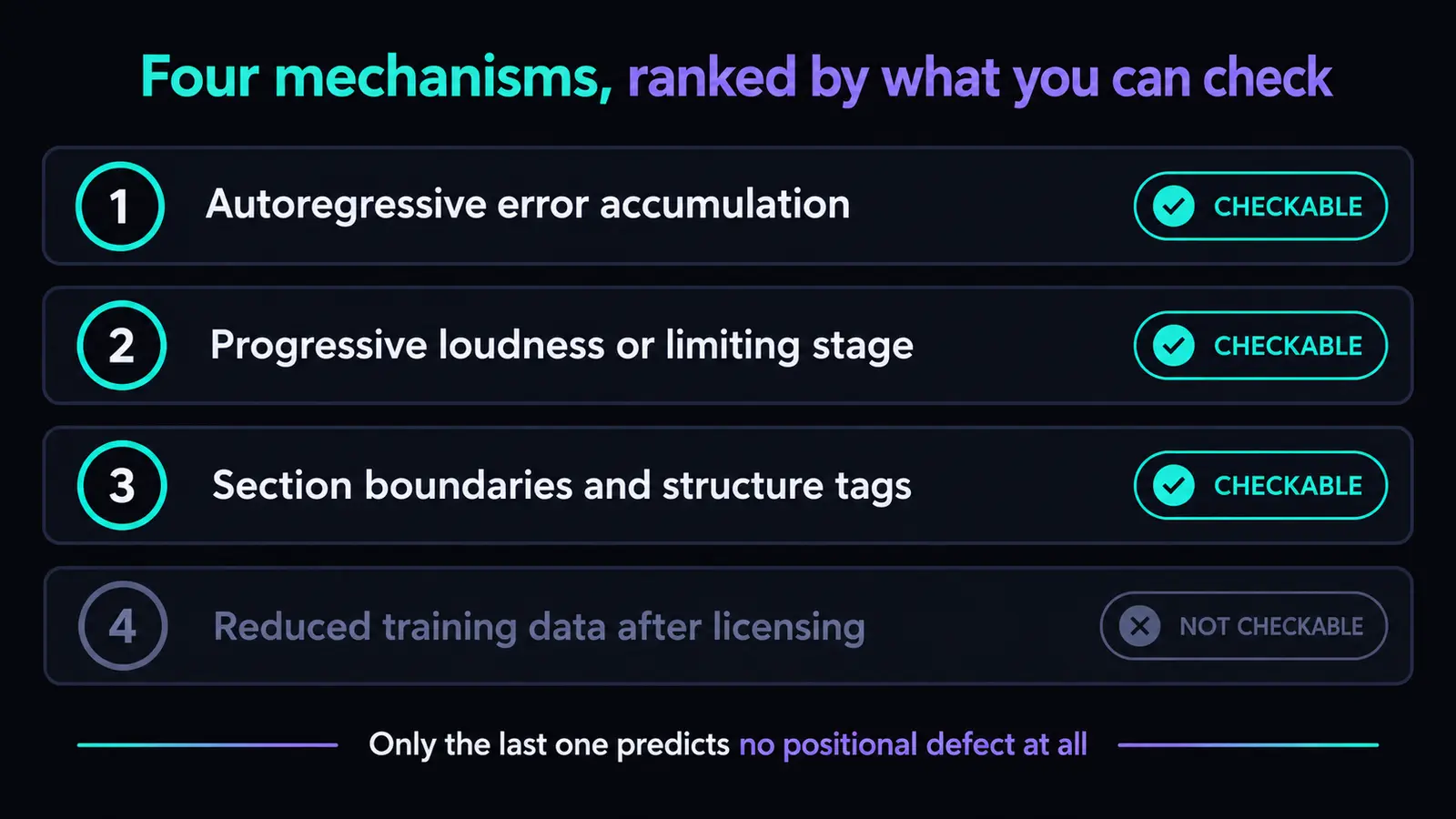
Four explanations. Three of them leave a signature in your file.
These are hypotheses, and ranking them by testability beats ranking them by plausibility. The one with the strongest published support is the one the forums mention least.
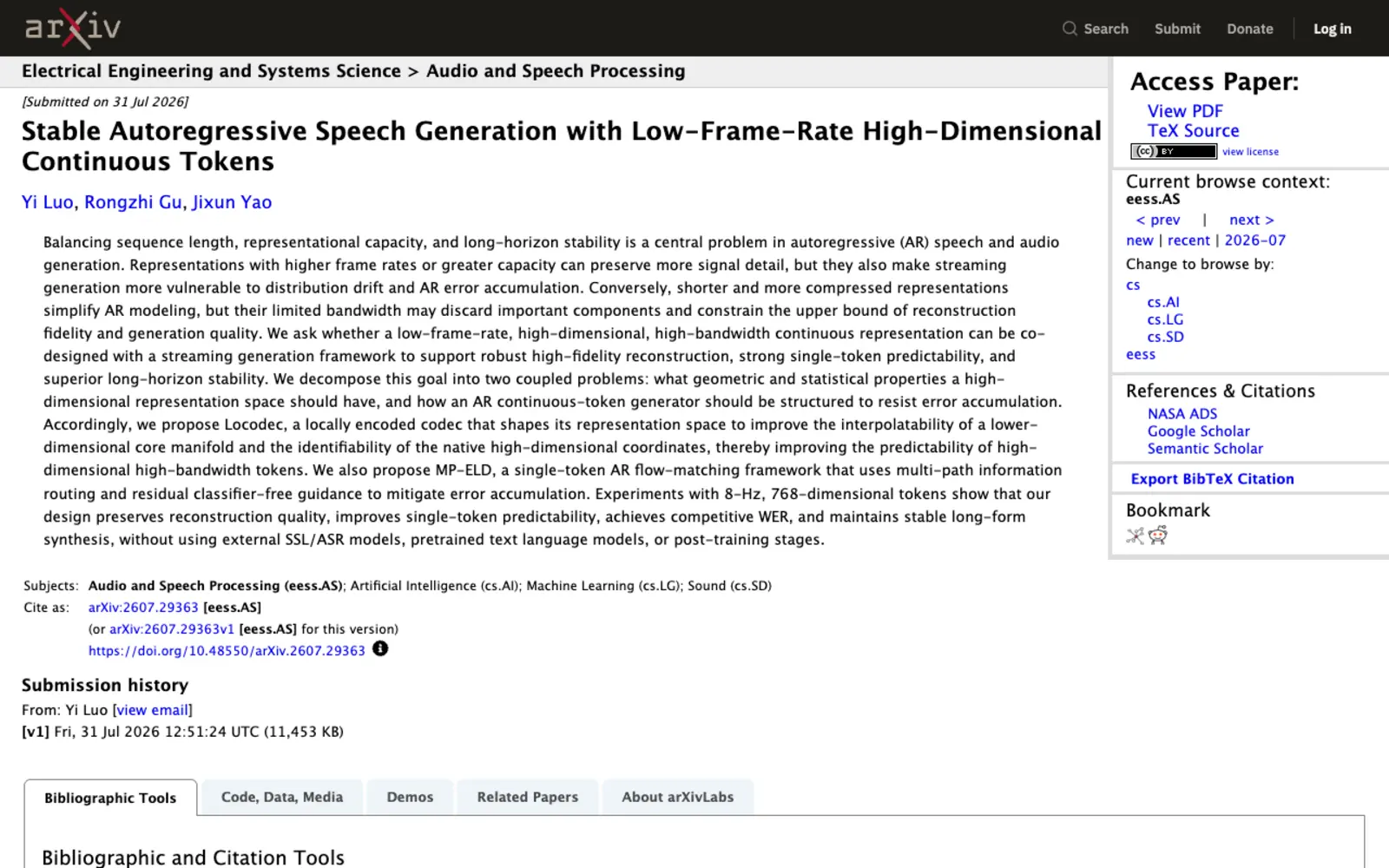
Autoregressive models predict forward from what they have already produced, so their own mistakes become the input for everything that follows. This is a documented failure mode, not a theory about Suno. A July 2026 paper on stabilising autoregressive audio generation states it plainly: “Small local prediction errors may therefore accumulate over time, leading to drift in loudness, timbre, speaking rate, or spectral quality, and in severe cases to unstable or collapsed audio outputs.” Set that beside Table 1 — louder, thinner, band-limited, worse as the track runs on — and the overlap is hard to ignore.
That is a match in shape, not a diagnosis. The paper is about autoregressive audio systems generally, says nothing about Suno, and we have no visibility into v6's architecture. What it establishes is that time-dependent drift in exactly these properties is an ordinary consequence of this class of model, which makes the reports plausible rather than mysterious.
| Mechanism | What it predicts | Checkable from your file? | Verdict |
|---|---|---|---|
| Autoregressive error accumulation | Drift worsening with elapsed time, tracking the clock rather than the arrangement | Yes — compare 0:30 with 2:30 in the same song | Documented as a general property of autoregressive audio models, and the only candidate whose published signature — loudness, timbre and spectral drift — matches all four reports. |
| A loudness or limiting stage applied progressively | Short-term loudness rising while crest factor falls, with no arrangement change to justify it | Yes — any loudness meter shows it | Checkable, and it explains the “louder and compressed” reports precisely — the thinning vocal only as a side effect. |
| Section boundaries and structure tags | Quality stepping down at section changes rather than sliding smoothly | Yes — line the drops up against your structure tags | Distinguishable from the two above by shape alone: a step is not a drift, and you can see which you have. |
| Reduced training data after the licensing deals | A model that is uniformly worse from the first bar | No | Raised in trade coverage, but it predicts no positional defect at all — it answers a different complaint. |
The last row deserves a word, because trade coverage reached for it. A Korean audio-industry piece on 18 September 2026 suggested that excluding recordings from labels without a Suno licensing deal may have shrunk the training set's “scale and diversity” enough to cost quality. That may be true, and it would make v6 worse everywhere. It does not explain why bar four sounds good and bar ninety does not, and a theory that cannot produce the pattern is not an answer to it.
Check your own file, then decide
You do not need a studio. You need a meter and two timestamps.
Everything above is other people's experience. This is how you find out whether your file has the problem, or just a loud outro that was always meant to be loud. Pick a suspect track and compare two points: 0:30 and 2:30. Any free loudness meter and any audio editor will do.
- Look at the waveform envelope for the last ninety seconds. A tail that has become a solid block with its peaks and troughs gone means limiting — the one finding that decides repair-versus-regenerate before you measure anything.
- Read short-term loudness at both timestamps. A decibel or two is ordinary arrangement; choruses are louder than verses. A climb of four LU or more that keeps going to the end, with no new instruments to explain it, is the reported pattern.
- Check the crest factor, or watch peak against average. If loudness rose while the gap between peak and average shrank, something is compressing rather than arranging. An arrangement getting bigger keeps its peaks.
- Compare the spectrum above 8 kHz at both points.Cymbals and air should not quietly leave a busy outro. Rolloff at 2:30 that is absent at 0:30 is the “telephone” report, measured.
- Solo the vocal if you have stems. The most-reported symptom is a vocal that thins and retreats, far easier to hear alone than buried.
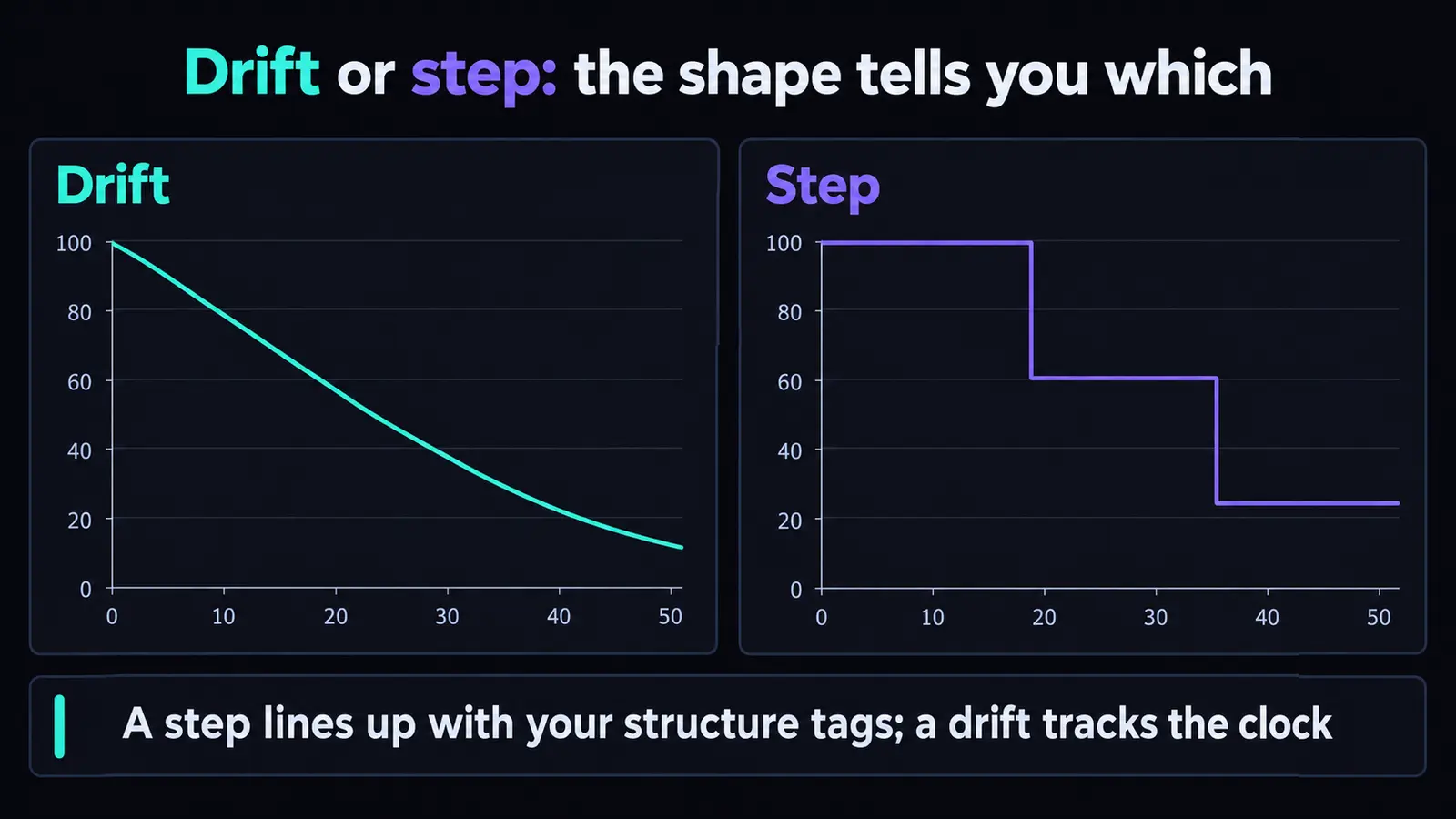
- Line the drops up against your structure tags.Degradation that steps down at section boundaries is a different mechanism from a smooth slide, and it changes what you try next.
The distinction is drift against the clock versus variation with the arrangement. If a two-minute and a five-minute song from the same session fall apart at the same proportion through, it is structure. At the same number of seconds, it is elapsed time. Our AI audio cleanup walkthrough covers the order to work in once you know which one you have.
What you can fix on the file you already have
Level and tone respond. Destroyed information does not.
Sort every repair into one of two buckets before you open a plugin. Level and balance problems are genuinely fixable. Missing information — clipped peaks, a band never rendered — is not, because no processor invents what is absent. Most disappointment with artifact cleanup is expecting bucket two to behave like bucket one.
| Fix | What it addresses | What it costs you | Recoverable? |
|---|---|---|---|
| Re-master to one integrated target | An outro simply louder than the intro | Time, nothing else | Yes — the one clean win |
| Stem split, then rebalance the vocal | Vocal thinning and burial | A stem export; uncapped from Studio | Often the best result available |
| Downward expansion on the tail | Flattened dynamics | Artifacts if pushed; it estimates rather than undoes | Partly, and never where clipping occurred |
| High shelf above 8 kHz | The band-limited “telephone” character | Lifts hiss and sibilance along with the air | Partly — and read the screening note below first |
| Replace only the section that failed | The cause, at source, keeping what worked | One generation, plus a download to export | Yes, and usually cheaper than starting over |
| Accept it and move on | Nothing | Nothing | Sometimes correct — see the last section |
One warning on the high shelf, the intuitive fix that carries a cost nobody mentions. Rolling the top back on can improve how a dull tail while changing how automated screening reads the file, and the evidence on altering that band is uncomfortable — we walked through it in what actually happens when you try to beat AI music detectors. Fix the audio because you want it to sound right, not to change a classifier's mind.
If generation artifacts are the problem — smeared transients and a glassy top end that survive every level move and leave a track sounding unfinished next to a commercial release — that is the narrow job Undetectr exists for, alongside getting a file through a distributor's automated screening. Be clear about the boundary: it does nothing about whether a platform labels or credits your release as AI-generated, a disclosure question settled on delivery rather than in the audio, and it cannot undo limiting. Our own comparison of artifact removal tools and the artifact remover explainer set out what that processing does and does not reach.
What to change at generation time
The cheapest repair is the one you never have to make.
The workarounds in these threads are sensible and scattered, so here they are together with what each costs. None fixes the model; they avoid asking it for the thing it reportedly does worst.
- Generate shorter, then join. Two clean ninety-second passes assembled in an editor beat one four-minute pass that drifts. Costs arrangement work and a musical join.
- Extend rather than ask for length up front.Building in sections gives you a decision point at each boundary instead of one verdict at the end.
- Regenerate only the part that failed. The best framing published on this, from the guides site Jack Righteous, calls it a keeper boundary: find the last timestamp where the song is still good and do not throw away the work before it. A section replace is cheaper than a full regenerate every time.
- Put a structure tag where it breaks. If your degradation steps at section boundaries, an explicit boundary there sometimes moves the seam somewhere less damaging.
- Max Mode: try it, do not count on it. Suno recommends it for songs over two minutes and for consistency through a whole track — precisely this case. The most-upvoted thread reports the problem with it switched on. Both are on the record; your own file is the tie-breaker.
Two of our prompting guides go deeper on the controls — how v6 rewrites your style prompt and how to give v6 your own hook — and both matter more than usual here, because a generation you repeat is one you pay for twice.
When it is not worth saving
“Just regenerate” stopped being free on 3 September 2026.
The rule is short. If the tail is limited flat, regenerate. There is no dynamic information under a solid block of waveform, so every hour spent on it buys a different flavour of squashed. If the tail is merely loud, dense or dull, repair — those are level and tone problems and they respond.
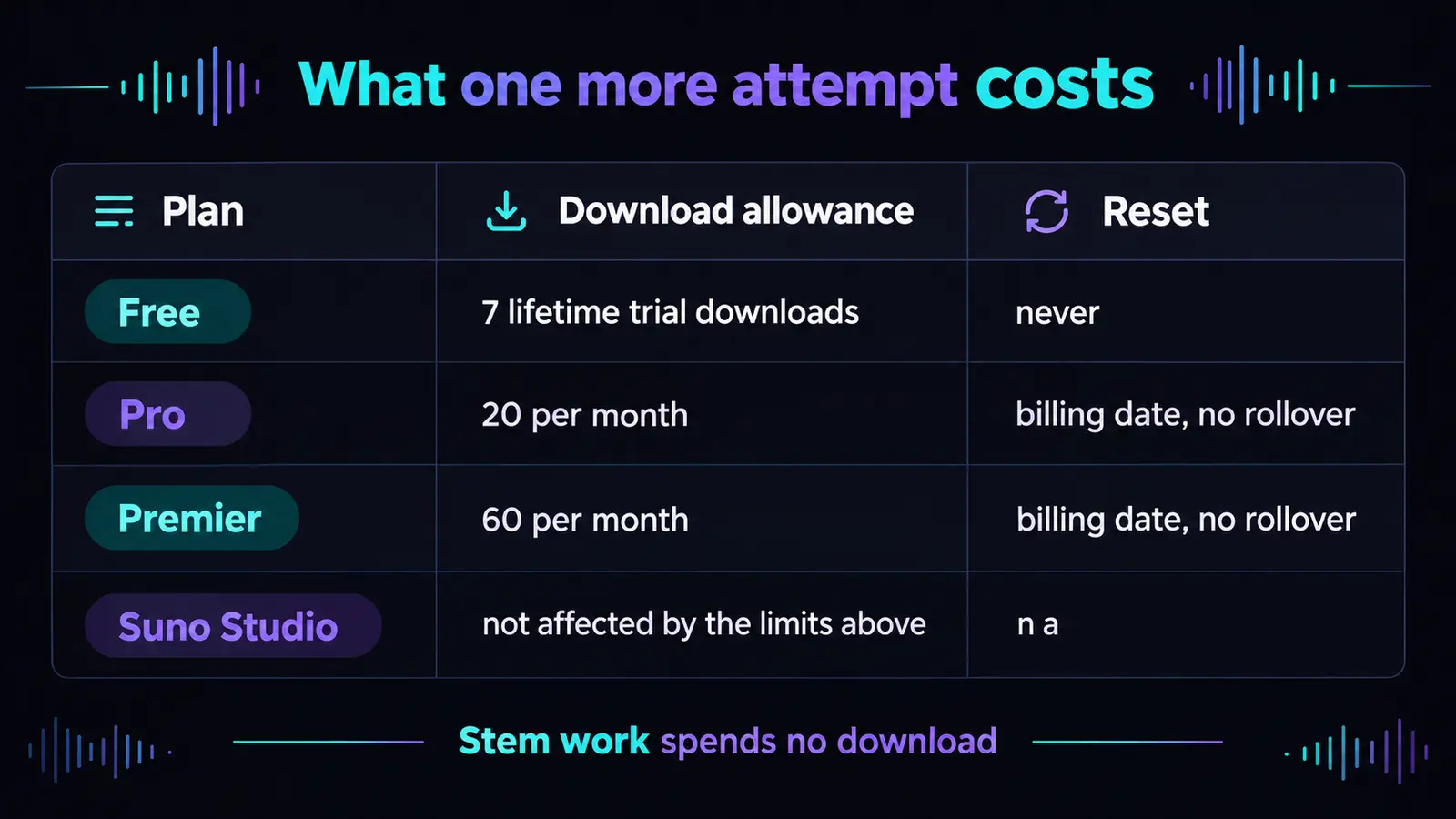
What makes that call cost something is the download meter. Suno began metering downloads on 3 September 2026 across your whole library, not new songs only, so a regenerate-and-export cycle spends a finite allowance.
| Plan | Download allowance | Reset | Cost of one more attempt |
|---|---|---|---|
| Free | 7 lifetime trial downloads, personal and non-commercial | Never — lifetime | One of seven, permanently |
| Pro | 20 downloads per month | Billing date; no rollover | One of twenty, which expires unused anyway |
| Premier | 60 downloads per month | Billing date; unused downloads do not roll over | One of sixty |
| Suno Studio | Studio workflows “not affected by the limits mentioned above” | n/a | Nothing; stem work spends no download |
Two consequences. On Pro, twenty non-rolling downloads a month means an unused allowance is wasted anyway, so a second attempt is nearly free late in a billing cycle and dearer early in one. And on Premier, Studio workflows sit outside the limits, which quietly makes the stem route the cheapest serious repair you have. Our download limits checklist covers how to spend a rationed allowance, and our sister site on the cap and refunds covers what happened when subscribers asked for their money back.

Does this get your track rejected
A quality problem and a provenance problem are not the same problem.
Worth separating, because this group has conflated the two before. An overcompressed final minute is a quality problem, judged by ears. A distributor's AI screening is a provenance problem: it asks what made the file, and a spotless master does not answer it. Cleaning your tail does not change a screening outcome, and passing a screen does not make your outro listenable. If screening is your actual question, our guide to what AI music detectors really measure is the page you want.
One more proportion, kept honest: for most people reading this the binding constraint is neither a distributor nor a defective outro — almost nobody is listening. That problem is quieter and larger, and a cleaner file does not solve it.
Audio quality does have one market where a person assesses it and prices it: sync. A supervisor auditioning for TV, film, games or ads listens to the whole thing, and a final minute that collapses is a decline without feedback. played.fm leads on pitching for paid sync placements, with a direct storefront where you keep 100% alongside it — a route answering to a brief and a human rather than a recommendation engine. That is the honest bridge from “my tail is overcompressed” to somewhere it costs money, and a reason to fix the last minute rather than hope nobody reaches it.
Suno v6 positional degradation FAQ
Does Max Mode fix the degradation?
The most-upvoted thread in this cluster says no, in its title: severe degradation toward the end of V6 songs “even with Max Mode”. That matters because Max Mode is what Suno itself points at for this case — its v6 FAQ calls it best for “songs longer than two minutes” and for “keeping vocals and style consistent through the whole track”. Reader reports and the vendor's own recommendation are in direct conflict and we cannot resolve that from outside. Try it once on a track you care about and judge your own file.
Is it only long songs?
The reports cluster in the back half of tracks past roughly two minutes, which is where Suno's own guidance starts recommending Max Mode. Nobody has published a length below which it never happens. Check whether your problem tracks the clock or tracks your arrangement: a short song with a loud, dense outro can look identical to a long song that drifted.
Did v5 do this too?
There is no way to answer that now, and that is the honest position. Suno's v6 FAQ states that “all models prior to v6 have been retired”, so no v5 control can be generated. Tracks in your library are unchanged and playable, but a song made months ago with different prompts is not a controlled comparison — it differs in every variable at once.
Can I get the older models back?
No. Suno retired every model before v6 at the launch on 9 September 2026. Existing songs stay in your library unchanged, but new generations run on the v6 family only. This is also why nobody — us, the forums or the trade press — can produce a measured before-and-after on this defect.
Will mastering fix it or make it worse?
Re-mastering to one integrated loudness target genuinely helps when the outro is louder and flatter than the intro, because that is a level problem and level problems respond to levelling. What mastering cannot do is restore dynamic range limiting already removed, or high frequencies never rendered. Pushing a maximiser at an already-squashed tail makes it worse, reliably.
Does a stem split help?
Frequently the best tool you have, because the most-reported symptom is a vocal that thins and retreats, and a stem lets you treat it alone instead of fighting the whole mix. On Premier, Suno Studio stem workflows are not affected by the download limits, so the route costs nothing from the meter. It will not rebuild detail absent from the stem itself.
Should I regenerate or repair?
Repair when the tail is merely loud, dense or dull — level and tone problems. Regenerate when it is limited flat, visible as a solid waveform block with no peaks left, because there is no information under it to recover. Remember a regenerate plus a fresh export spends a metered download: 20 a month on Pro, 60 on Premier, and they do not roll over.
- Suno Help Centre — v6 FAQ (Max Mode's stated purpose and recommended cases; “all models prior to v6 have been retired”)
- Suno Help Centre — How many downloads come with my subscription? (7 lifetime / 20 / 60 per month, no rollover, Studio unaffected — every figure in Table 4)
- Luo, Gu and Yao — Stable Autoregressive Speech Generation with Low-Frame-Rate High-Dimensional Continuous Tokens (arXiv 2607.29363, 31 July 2026: the drift quote)
- r/SunoAI, four threads in the fortnight to 27 September 2026: severe degradation toward the end, even with Max Mode, second-half quality issue, muddy and buried vocals and mastering destroyed at the 2 min mark
- Sound & Recording (mixing.co.kr), 18 September 2026: the reduced-training-data hypothesis and the “scale and diversity” wording. Read at source on 28 September 2026; cited rather than linked because the domain refuses connections from our environment.
Evidence notes. Every Suno quotation was read from Suno's own help centre on 28 September 2026, and the drift quote from the paper itself, not from coverage of either. No listening test was run and none is possible: the models that would form the control were retired on 9 September 2026. The symptom descriptions are user reports from the four threads named, at least one worked up with chatbot assistance, quoted as descriptions rather than findings; vote counts were captured at indexing and run lower than live. Reddit returns 403 to automated readers from our environment, so those links were confirmed through a search index and open normally in a browser. The research on autoregressive drift describes that class of model in general and makes no claim about Suno v6.
Related guides
AI audio cleanup, step by step
The order to work in once you know which defect you actually have.
AI music artifact remover
What the four artifact layers are, and which of them cleanup reaches.
Best artifact removal tools
Five tools ranked on what they fix rather than what they claim.
Suno mastering
Getting a generator bounce to one sane loudness target without crushing it.
Suno stems
Split modes, credits, and the download rule that makes stems cheap.
Suno V6 and the retired models
What the 9 September launch changed, and what went away with it.
Or browse every guide on the site.
The first minute was never the problem. Fix the last one.
Diagnose before you process: a loud, dull tail responds to levelling and stems; one that limiting already flattened does not. When what is left is generation artifacts rather than levels, clean those and send a master that holds up to the fade.
▸ Independent · We recommend Undetectr