DistroKid AI Credits: What Each Platform Shows
You ticked one box on upload and now two services describe your record differently. DistroKid AI Credits is not one switch — it is four selections, a conditional follow-up and a separate video question, and each one travels to a different schema at the other end. One artist reported human lyrics showing as “Written by: Generative AI” on YouTube Music while Spotify showed their name. So: what each field declares, why two platforms can render one delivery differently, and what you can actually correct. We read both DistroKid credit articles, YouTube's partner disclosure page and both of Spotify's at source on 18 October 2026.
The short version
Five findings, each from a document read this week.
There are six AI declarations on a DistroKid release, not one: lyrics, music, all of the audio, part of the audio, a conditional question about whether your artist name is a person, and a separate DistroVid question about video visuals.
Declaring AI audio is not declaring AI lyrics. They are separate selections, and DistroKid lists “AI-generated lyrics (not written by a human)” as a different category from AI-generated audio.
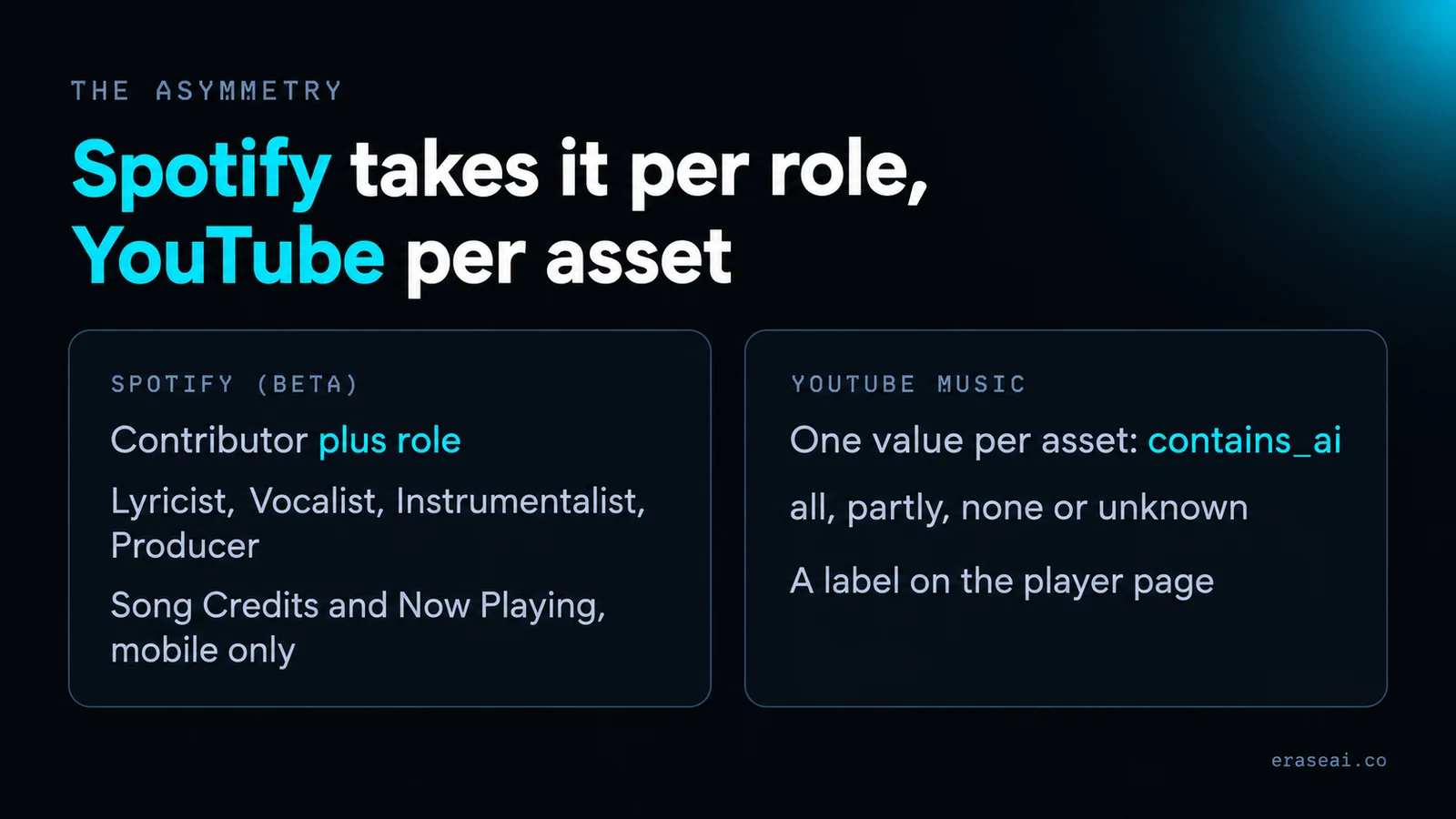
Spotify takes disclosure per role, YouTube Music takes it per asset. Spotify: “AI credits apply at the contributor + role level, not the track level.” YouTube’s field is one value for the whole recording — all, partly, none or unknown. That asymmetry is the most likely reason one delivery produces two different screens.
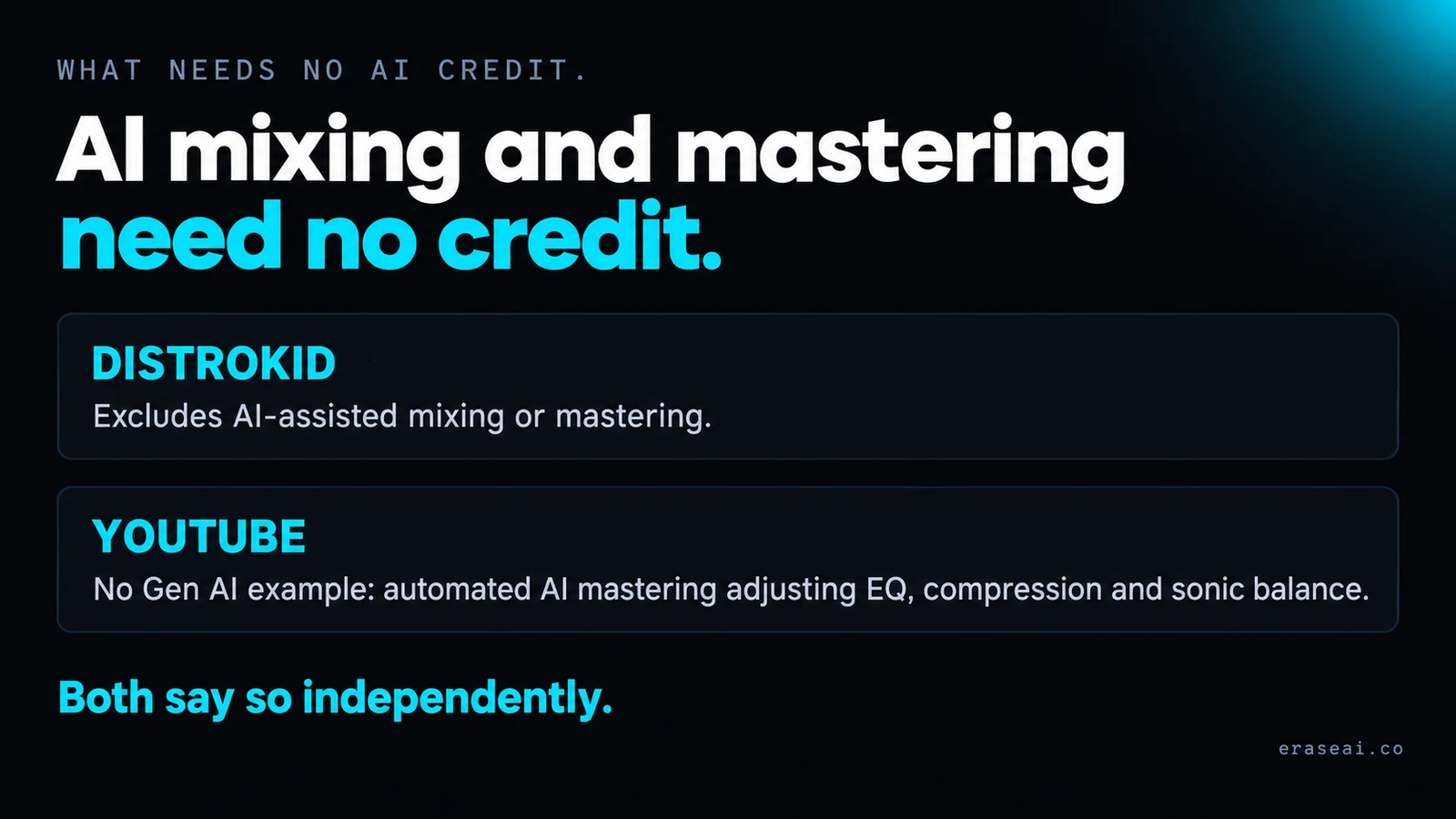
AI mixing and mastering need no AI credit, and both platforms say so independently. DistroKid excludes “AI-assisted mixing or mastering”; YouTube’s own example of No Gen AI is automated AI mastering adjusting EQ, compression and sonic balance.
A wrong declaration is fixable; a wrong rendering has no published route. DistroKid documents updating AI credits after upload, and YouTube’s contains_ai accepts “unknown” to “clear and reset a previously misdeclared value” — but nobody publishes what to do when a correct declaration displays wrongly.
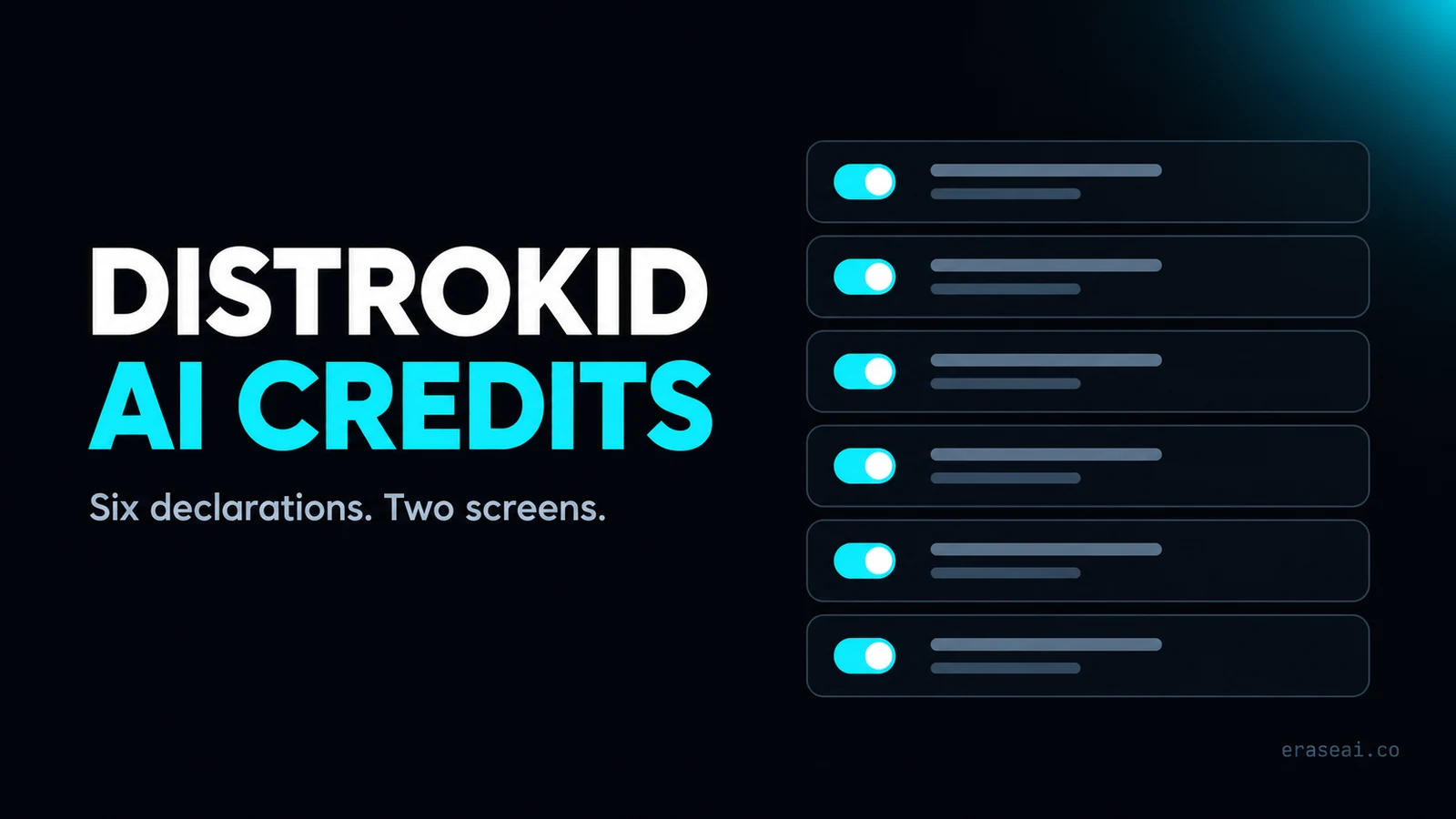
What the AI Credits fields actually are
Six decisions, from DistroKid's own two help articles.
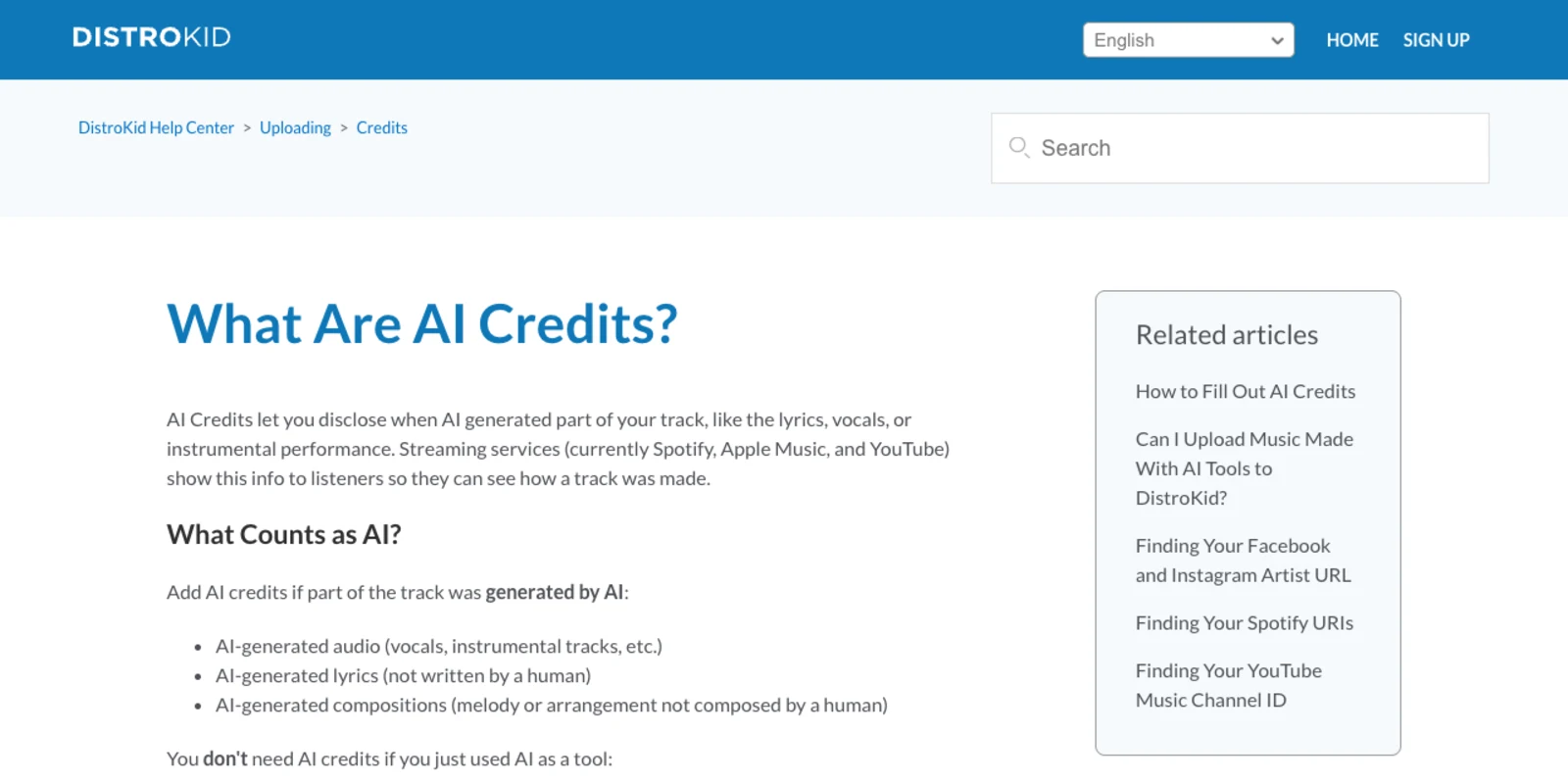
DistroKid describes AI Credits as a way to “disclose when AI generated part of your track, like the lyrics, vocals, or instrumental performance”, and says that streaming services — “currently Spotify, Apple Music, and YouTube” — “show this info to listeners so they can see how a track was made”. That is the whole purpose: it is a description of method, pointed at a listener.
At upload, DistroKid says it “will ask if any of it was generated by AI”, and if the answer is yes you “select at least one of these” — four options, not a single toggle. Pick “All of the audio” and a fifth question follows, about whether your artist name is a human or an AI persona; DistroKid says services “need this to display your artist credit correctly on the track”. A video adds a sixth, in DistroVid, which asks separately whether AI generated the visuals.
| Declaration | DistroKid’s wording | What it actually declares | Where you set it |
|---|---|---|---|
| The lyrics | “AI wrote the words” | Lyric authorship only, not who performed them | Upload flow, or Credits later |
| The music | “AI composed the melody” | Composition — melody and arrangement, not the recording | Upload flow, or Credits later |
| All of the audio | “everything the listener hears is AI-generated” | The whole recording. Says nothing about who wrote the words | Upload flow, or Credits later |
| Part of the audio | “some of it is AI, some is human” | A mixed recording. The split is not itemised | Upload flow, or Credits later |
| Artist name: human or AI persona | Asked only if you pick “All of the audio” | Whether the act itself is a person. DistroKid: services “need this to display your artist credit correctly” | Conditional, in the upload flow |
| AI-generated video (DistroVid) | “Yes if AI generated your video’s visuals” | Visuals only — a separate declaration from everything above | DistroVid upload |
The useful thing about that table is what is not in it. There is no field for how much of the audio is AI, no field for which generator you used, and no field that connects a lyric to a performance. Six narrow answers go out; whatever a listener eventually reads is rendered from them by somebody else. Which is where the two screens come from.
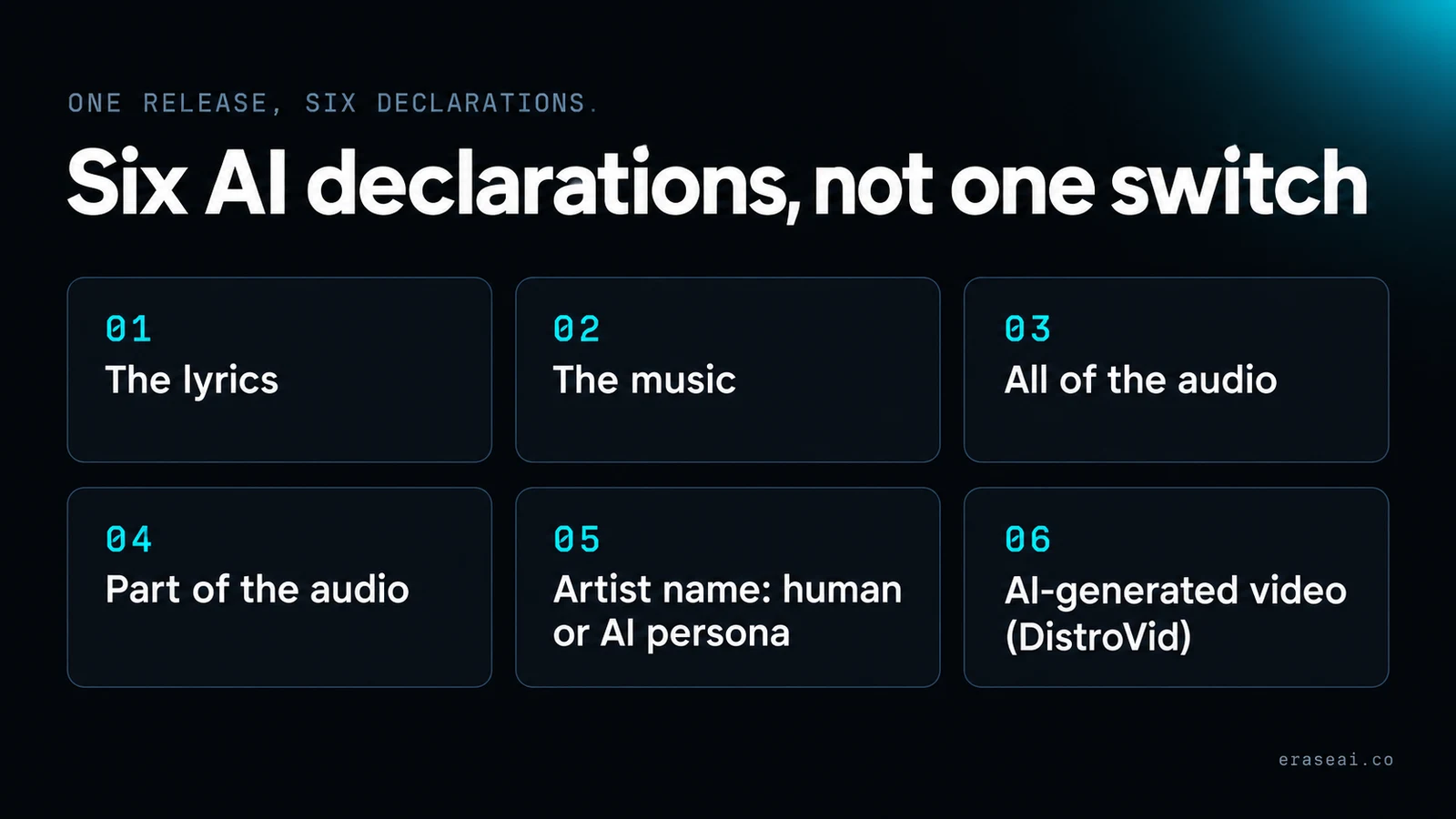
Declaring AI audio is not declaring AI lyrics
The most common over-declaration, and the fields that keep them apart.
A great many Suno and Udio releases are made the same way: the writer brings the words, the model performs them. If you wrote the lyrics and prompted a model to sing them, the audio is generated and the words are yours, and DistroKid's fields are built to hold exactly that distinction.
Its “What Counts as AI?” list keeps the three apart deliberately: “AI-generated audio (vocals, instrumental tracks, etc.)”, “AI-generated lyrics (not written by a human)” and “AI-generated compositions (melody or arrangement not composed by a human)”. Three categories, three separate things to be true or false. The parenthetical on the lyrics row is the operative part — not written by a human is a claim about authorship, and a model singing your words does not make it true.
So the accurate declaration for that workflow is an audio one, with the lyric field left alone. Ticking the lyric box as well, on the theory that the track is “an AI song”, declares something about your own writing that is not the case. Our guide to disclosure that works takes the same position on the strategy; this page is the field reference underneath it.
“Written by: Generative AI” — one report
What was actually posted, and what nobody has established.
On 16 October 2026, two days after YouTube Music's labels went live, an artist posted on r/SunoAI that their song credits read “Written by: Generative AI” on YouTube Music. In their words: “I write my own lyrics, but YouTube Music credits ‘Generative AI’ instead of my actual name as the songwriter.” They used Suno for vocals and music, say they “correctly declare AI-generated audio when uploading through DistroKid”, and add that “Spotify displays my human songwriting credits correctly” from the same release. Songs without an AI declaration, they say, “don't appear to have the same issue”.
Two things need saying plainly about that. The first is how thin it is: one post, two upvotes, seven comments. We did not reproduce it, we have no second account of it, and neither DistroKid nor YouTube has published anything about it. Nothing here supports a sentence beginning “DistroKid is mis-mapping”, and you should distrust any page that gives you one.
The second is that the reporter was careful, and framed it as a question with two candidate answers: “Is DistroKid incorrectly mapping AI-generated audio metadata to songwriter credits, or is YouTube Music interpreting the metadata incorrectly?” Those are the only two candidates on the table, we cannot choose between them from outside, and both would produce the screen they describe.
What can be checked from outside is the shape of the two pipelines — and they are shaped differently enough that one delivery producing two different screens needs no bug at all to explain it.
One delivery, two credit screens
The asymmetry is published, on both sides, and it is the whole story.
Spotify's disclosure is per role. Its provider-facing documentation is unambiguous: “AI credits apply at the contributor + role level, not the track level”, and “providers who are part of the beta can send AI credits for any role that was fully AI-generated”. The roles it names are Lyricist, Vocalist, Instrumentalist and Producer, delivered as role-level indicators with “no open text fields”. Its artist-facing page adds that where AI and human contributions share a role you should “credit them separately”. A schema like that can hold human lyricist, AI vocalist in one record without contradiction.
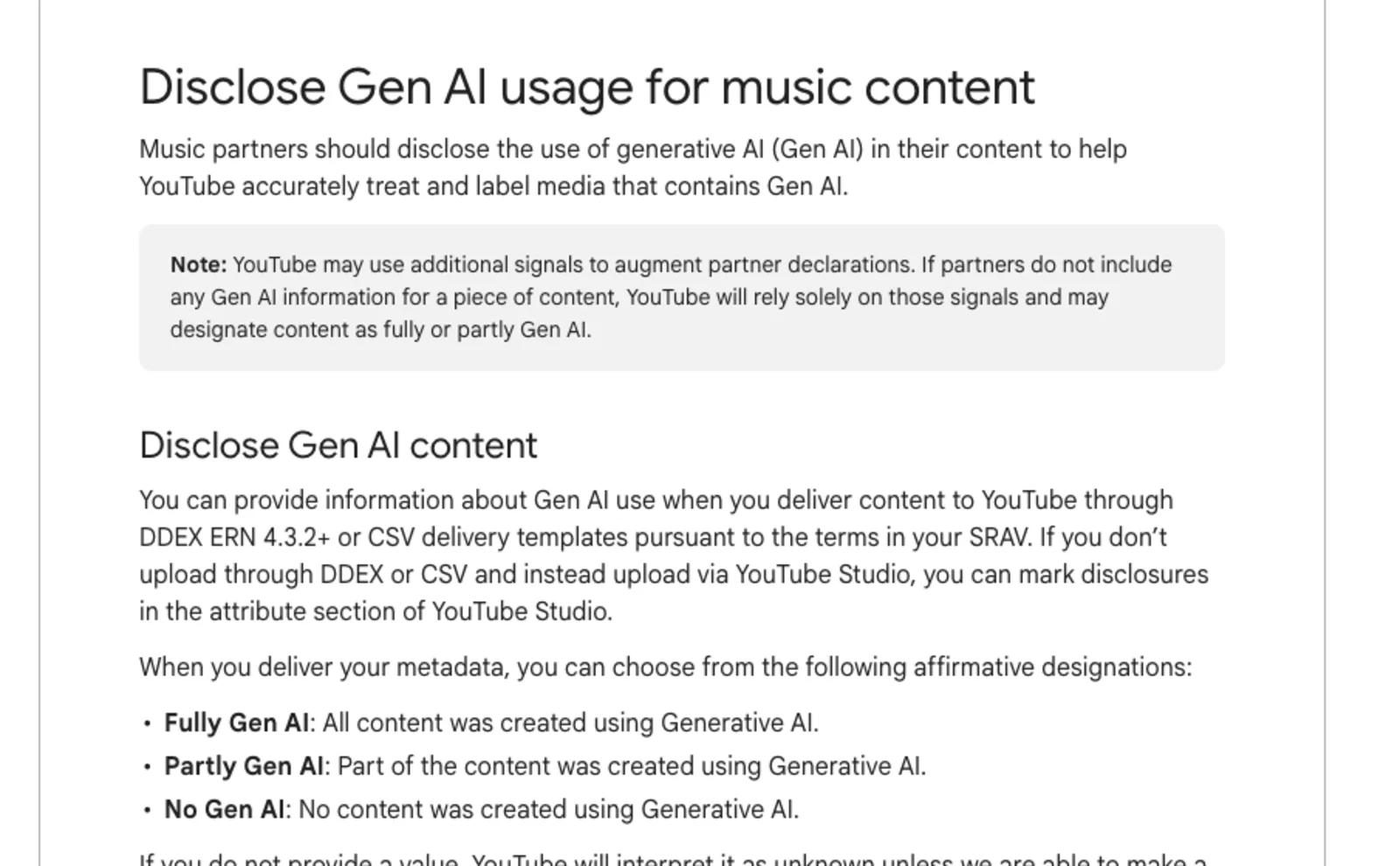
YouTube Music's is per asset. Its partner page documents one field, contains_ai, delivered by DDEX ERN 4.3.2+ or a CSV template, taking one of four values: “all”, “partly”, “none” or “unknown”. Those map to the three listener-facing designations — Fully Gen AI (“All content was created using Generative AI”), Partly Gen AI and No Gen AI. There is no per-role option anywhere in it. One answer stands for the entire recording.
| Platform | How disclosure reaches it | Granularity | What a listener sees |
|---|---|---|---|
| Spotify (beta) | Contributor + role. DistroKid is in the beta | Per role: Lyricist, Vocalist, Instrumentalist, Producer. “AI credits apply at the contributor + role level, not the track level” | Song Credits and Now Playing, mobile only. “They don’t appear on artist profiles or as track-level labels” |
| YouTube Music | One value per asset: contains_ai, via DDEX ERN 4.3.2+ or CSV | Per asset: “all”, “partly”, “none” or “unknown”. There is no per-role option in the published field | A label on the player page; tapping it opens “a simple menu that shares more information” |
| Apple Music | Named by DistroKid as a third display surface | Not documented in any Apple page we opened | Not documented. We make no claim about what Apple renders |
Put those side by side and the reported screen stops being mysterious. A release whose audio is wholly generated is, in YouTube's vocabulary, Fully Gen AI — and that field has no slot in which to add but the words are mine. Spotify's does. Same upload, same facts, two schemas with different resolutions, and the lower-resolution one necessarily loses the distinction the writer cares most about.
That is a rendering difference, and it is worth being precise about why that matters: no credit screen reassigns authorship. Your songwriter share, your registrations and your publishing are not set by a disclosure field on a delivery, and a label on a player page does not move them. It is also not an accusation against either company — a declaration meeting a coarser schema is the ordinary behaviour of two systems built a few months apart, not a defect. YouTube is explicit that it fills gaps itself, too: if partners send nothing, “YouTube will rely solely on those signals and may designate content as fully or partly Gen AI”. Declaring nothing is not a way of staying unlabelled.
If it is the label rather than the credit you are weighing up, our pages on AI music on YouTube and AI music on Spotify cover each platform's wider treatment, and the AI Persona badge is a separate mechanism from any of this — Spotify says an artist “can have one without the other”.
AI mixing and mastering need no credit
Two platforms, the same exclusion, written independently.
The careful producer's instinct is to over-declare, and both platforms tell you not to. DistroKid: “You don't need AI credits if you just used AI as a tool” — listing “pitch correction, auto-tune, etc.”, “AI-assisted mixing or mastering” and “AI-assisted workflows”.
YouTube's partner page reaches the same place with worked examples. Its two illustrations of No Gen AI are “an engineer uses standard pitch-correction software (e.g., Auto-Tune) to correct minor tuning mistakes in a live vocal performance” and “a producer uses automated AI mastering software to adjust the final equalization, compression, and sonic balance of a track”. Neither counts as generative AI, because neither generated anything.
The line both drew is between generating material and processing material you already have. An AI mastering chain on a human performance is the second, and declaring it anyway attaches a disclosure to a record that neither platform asked you to disclose — which, on YouTube's asset-level field, is the one mistake you cannot express at half strength.
If your credits are wrong
Two documented routes, and one gap nobody has filled.
Start by establishing which of the two things is wrong, because they have different owners. If you declared something inaccurate, that is yours to fix. If you declared accurately and a platform displays something else, that is not.
A wrong declaration. DistroKid documents this directly: “You can add or update AI credits after uploading, too. Go to your album page and click ‘Credits’ next to each song, or visit distrokid.com/credits.” No new release, no takedown, no re-upload — which also means none of the costs that a delete-and-re-upload carries, as our page on flagged releases sets out.
A wrong value already delivered to YouTube. There is a documented reset, and it is not yours to operate: the contains_ai field accepts “unknown” specifically “to clear and reset a previously misdeclared value”. That is a redelivery by whoever sends your metadata, so the request goes to your distributor. For material uploaded straight to YouTube rather than delivered, YouTube says you “can mark disclosures in the attribute section of YouTube Studio”.
And the gap, in plain words: there is no published route for a credit line you believe is rendering wrongly from a correct declaration. Not at DistroKid, not at YouTube, not at Spotify. The honest advice is unsatisfying — re-read your six answers first, because a declaration error is far likelier than a rendering one and is the only half you control; if they are right, you are reporting a defect to a support queue rather than following a process, and it is worth screenshotting both platforms' credit screens from the same release while you do.
Does any of this change what you own?
The question underneath the panic, answered from the documentation.
No. Nothing in DistroKid's, Spotify's or YouTube's published material describes an AI credit as an assignment, a waiver or a transfer of anything. A credit is a display field. The rights question is answered somewhere else entirely, and DistroKid's answer is a precondition rather than a consequence: you “must own 100% of the rights, including the legal right to distribute music created with any AI tools, samples, lyrics, etc.” That is true whether you declare or not.
Which cuts both ways, and the second direction is the one people miss: declaring accurately does not give you a right you lacked, and declining to declare does not protect one. Spotify notes that “AI disclosure is currently optional” and that it is “actively developing” its approach; YouTube already fills an empty field with its own detection. The policy layer that governs what DistroKid will carry is a separate subject, covered on Artifactr's DistroKid AI policy page and, for the screening side, our own DistroKid AI music guide.
Worth keeping in proportion, though. A credit screen is a transparency feature, and it arrives in a year when the harder problem is not what your metadata says but whether anyone hears the record at all. If the release is finished and you are working out where the money comes from, paid sync placements in TV, film, games and ads are a route that does not depend on algorithmic discovery at all, and selling direct to listeners keeps the full price of a sale rather than a fraction of a stream. Neither is affected by what your credits say.
The pre-delivery check
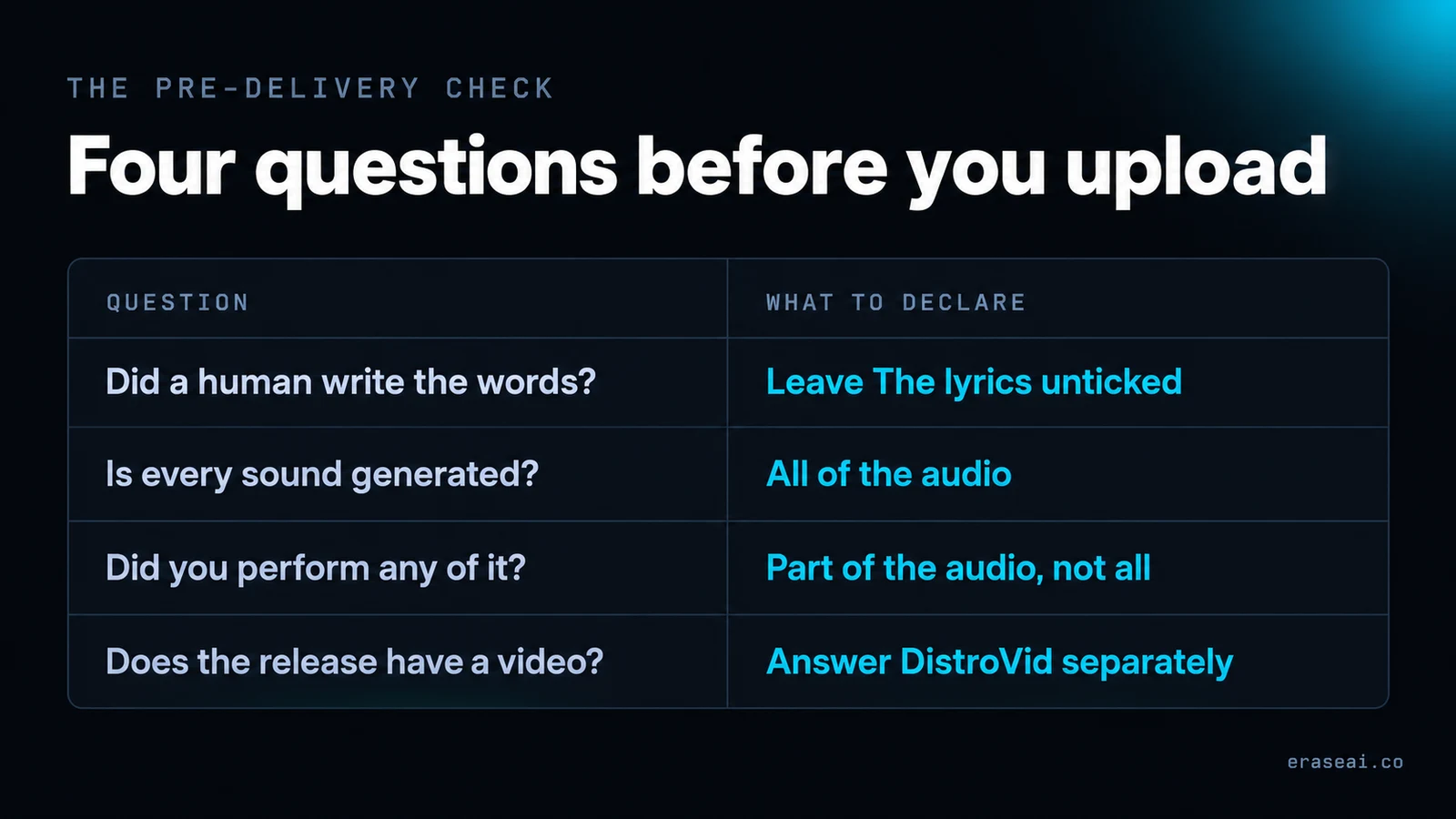
Six questions, in the order the upload flow asks them.
| Ask yourself | The field | Why it matters |
|---|---|---|
| Did a human write the words? | Leave “The lyrics” unticked | It is the only field that speaks to authorship of the words |
| Is every sound in the export generated? | “All of the audio” | Expect the follow-up question about whether your artist name is a person |
| Did you perform or record any of it? | “Part of the audio”, not “all” | The two are different declarations and travel differently |
| Was AI only your mixing or mastering stage? | No AI credit at all | Both DistroKid and YouTube put this outside generative AI |
| Does the release have a video? | Answer DistroVid’s question separately | The video declaration is not inherited from the audio one |
| Already released and declared wrongly? | Credits on the album page, or distrokid.com/credits | DistroKid documents updating AI credits after upload |
None of this takes long, and it is worth more attention than its place in the upload flow suggests, because the one field you cannot soften later is the one that travels furthest. Get the six answers right and the credit screens are somebody else's rendering problem; get them wrong and you are arguing about a record you described yourself. If you are picking a distributor rather than fixing one, our list of platforms that accept AI music compares the published policies.
A credit is metadata. No audio tool changes it.
Both the credit line and the Gen AI label are rendered from a delivery declaration. Nothing you do to the audio file touches either one, and any product that implies otherwise is selling you something it cannot deliver. The fix for a wrong credit is a metadata correction; there is no cleanup pass for a label.
What a finished release does still need is somewhere to earn. Paid sync is where the money talk in this niche actually is, and a direct storefront keeps the whole price of a sale.
Independent guide · played.fm links are partner links · no tool is recommended on this page
Questions people ask about AI credits
Seven answers, from the documents below.
What are DistroKid AI Credits?
Disclosure fields in the upload flow. DistroKid calls them a way to “disclose when AI generated part of your track, like the lyrics, vocals, or instrumental performance”, and says Spotify, Apple Music and YouTube “show this info to listeners”.
Does declaring AI-generated audio mean I declared AI lyrics?
No — separate selections. “The lyrics — AI wrote the words” is its own option, and DistroKid lists AI-generated lyrics as a category distinct from AI-generated audio. If a model sang words you wrote, declare the audio and leave the lyric field alone.
Why does YouTube Music say “Written by: Generative AI”?
One artist reported it on r/SunoAI on 16 October 2026, with human-written lyrics and a correct AI-audio declaration. We did not reproduce it and neither company has commented, so we name no cause. The reporter offered two candidates: a distributor mapping audio onto a songwriter credit, or YouTube reading it differently.
Why do Spotify and YouTube Music show different credits for one upload?
Their published schemas differ in resolution. Spotify takes AI credits “at the contributor + role level, not the track level”, so it can hold “human lyricist, AI vocalist” at once. YouTube’s field is one value for the whole asset, with no per-role option.
Do I need an AI credit if I used AI mastering?
No, and both say so. DistroKid: “You don’t need AI credits if you just used AI as a tool”, listing auto-tune and “AI-assisted mixing or mastering”. YouTube’s own No Gen AI example is automated AI mastering.
Can I change an AI credit after release?
On DistroKid’s side yes: “You can add or update AI credits after uploading, too”, from Credits on the album page or at distrokid.com/credits. On YouTube’s side the reset belongs to whoever delivers your metadata — contains_ai accepts “unknown” to “clear and reset a previously misdeclared value”.
Does an AI credit cost me rights, royalties or reach?
No documentation describes an AI credit as an assignment or a waiver; a credit is a display field. Spotify states that “AI disclosure is currently optional”. DistroKid’s separate rights rule is unchanged: you “must own 100% of the rights”.
Sources, and what we could not verify
Everything quoted above, dated, and what this page refuses to state.
- DistroKid — What Are AI Credits? (updated 6 October 2026), How to Fill Out AI Credits (25 August 2026), Can I Upload Music Made With AI Tools to DistroKid? (19 August 2026) and What Counts as an AI-Generated Video? (15 October 2026): the four selections, the AI-persona follow-up, the tool carve-out, the update route, the rights rule and the DistroVid question.
- YouTube Help — Disclose Gen AI usage for music content: the three designations and their definitions, DDEX ERN 4.3.2+ and the CSV template, the
contains_aivalues including “unknown”, the No Gen AI examples, the YouTube Studio route, and the line about relying solely on its own signals. Plus YouTube's announcement of 14 October 2026 for the rollout and the player-page placement. - Spotify — AI credits on Spotify (provider documentation) and AI credits on Spotify (artist support): the contributor-plus-role statement, the four named roles, the beta and mobile-only limits, “credit them separately”, the optional status and the AI Persona independence.
- r/SunoAI — “DistroKid & YouTube Music AI Credits Bug”, 16 October 2026: the single report, its two upvotes and seven comments, every quotation attributed to the reporter, and both candidate explanations — which are theirs, not ours.
All four documents read at source on 18 October 2026. DistroKid's help centre returns 403 to automated readers, so its articles were read through that help centre's own public API; the wording is DistroKid's and the links above are its canonical URLs. The “Written by: Generative AI” case is one artist's report and we did not reproduce it — this page does not state a cause, and the role-level versus asset-level explanation is our reading of two published schemas, not a confirmed account of what happened to that release. Apple Music is named by DistroKid as a third display surface, but we found no Apple document describing what it renders, so Table 2's Apple row records the absence rather than filling it. Table 3 is our checklist, not a rubric anyone publishes. Policies and beta scopes change without notice. Last updated 18 October 2026.
Related guides
Disclosure that works
The strategy above these fields: what to declare, and what declaring costs you.
DistroKid's AI policy
What it accepts, and why a release allowed by policy can still fail a screen.
Spotify's AI Persona badge
A separate mechanism from AI credits. Which one applies to your profile.
AI music on YouTube
Labels, monetisation and what the platform decides for itself.
Human track flagged as AI
When the problem is a classification rather than a credit.
Platforms that accept AI music
Every published distributor policy, read at source and dated.
Or browse every guide on the site.