The Invisible Tag Killing Your Releases.
Your AI track sounds perfect, gets uploaded, and then — rejected. Or it goes live, collects a few streams, and quietly vanishes. The cause is something you literally cannot hear: an embedded AI watermark. This guide covers what an AI watermark remover for music actually does, the 50-track experiment that proved the problem is real, and the one tool we recommend.

The short version
Five things to know before you upload another AI track.
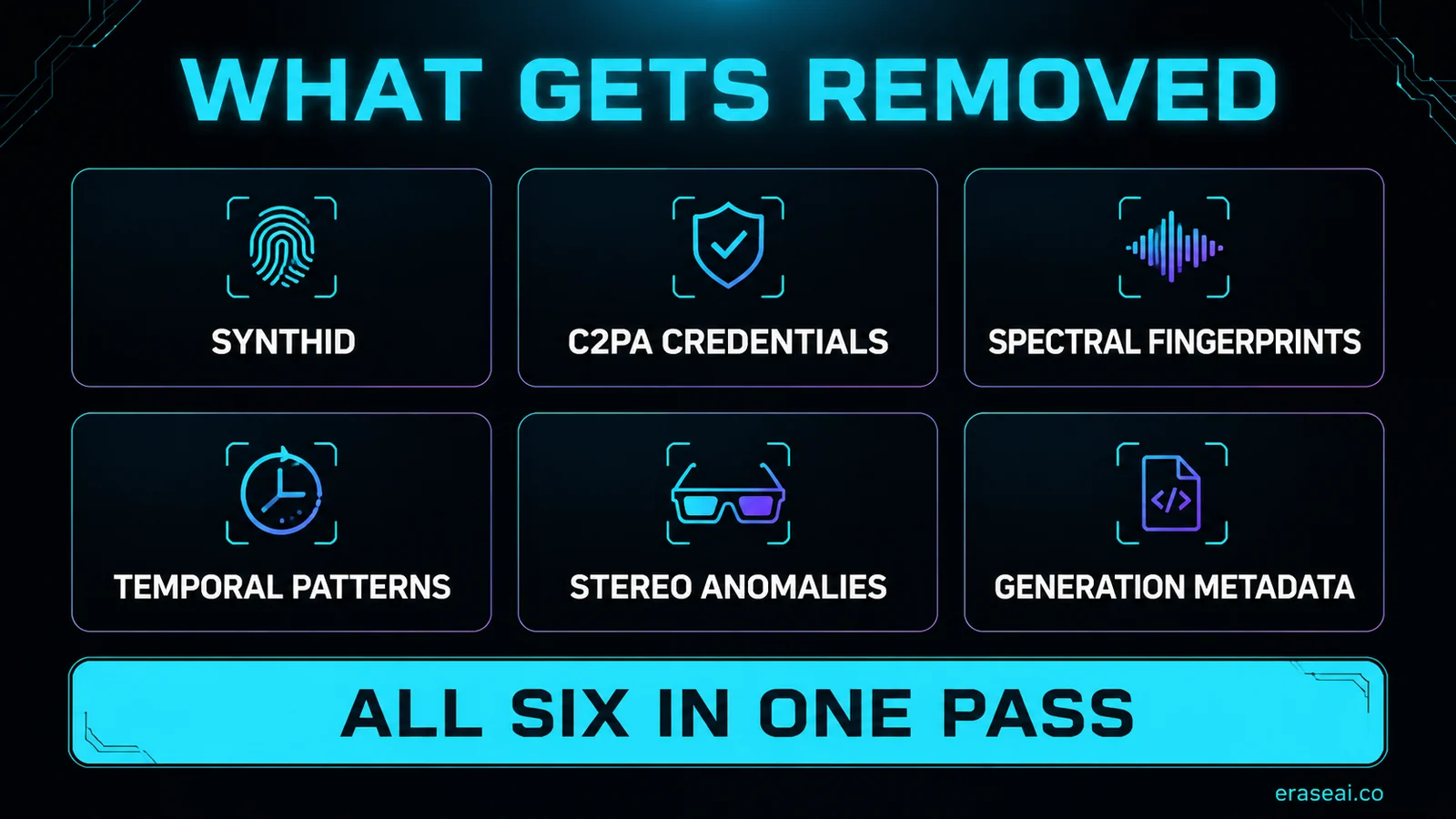
Every export from Suno, Udio, or ElevenLabs Music carries invisible identifiers — Google's SynthID, C2PA content credentials, and spectral fingerprints — that distributor scanners catch on upload.
Most tools ranking for “AI watermark remover” are detectors: they score your track and change nothing. Image watermark removers do nothing for audio either.
Undetectr is the first and only AI watermark remover software built for music — it strips six watermark layers at once, in the browser, in under a minute, and the output sounds identical.
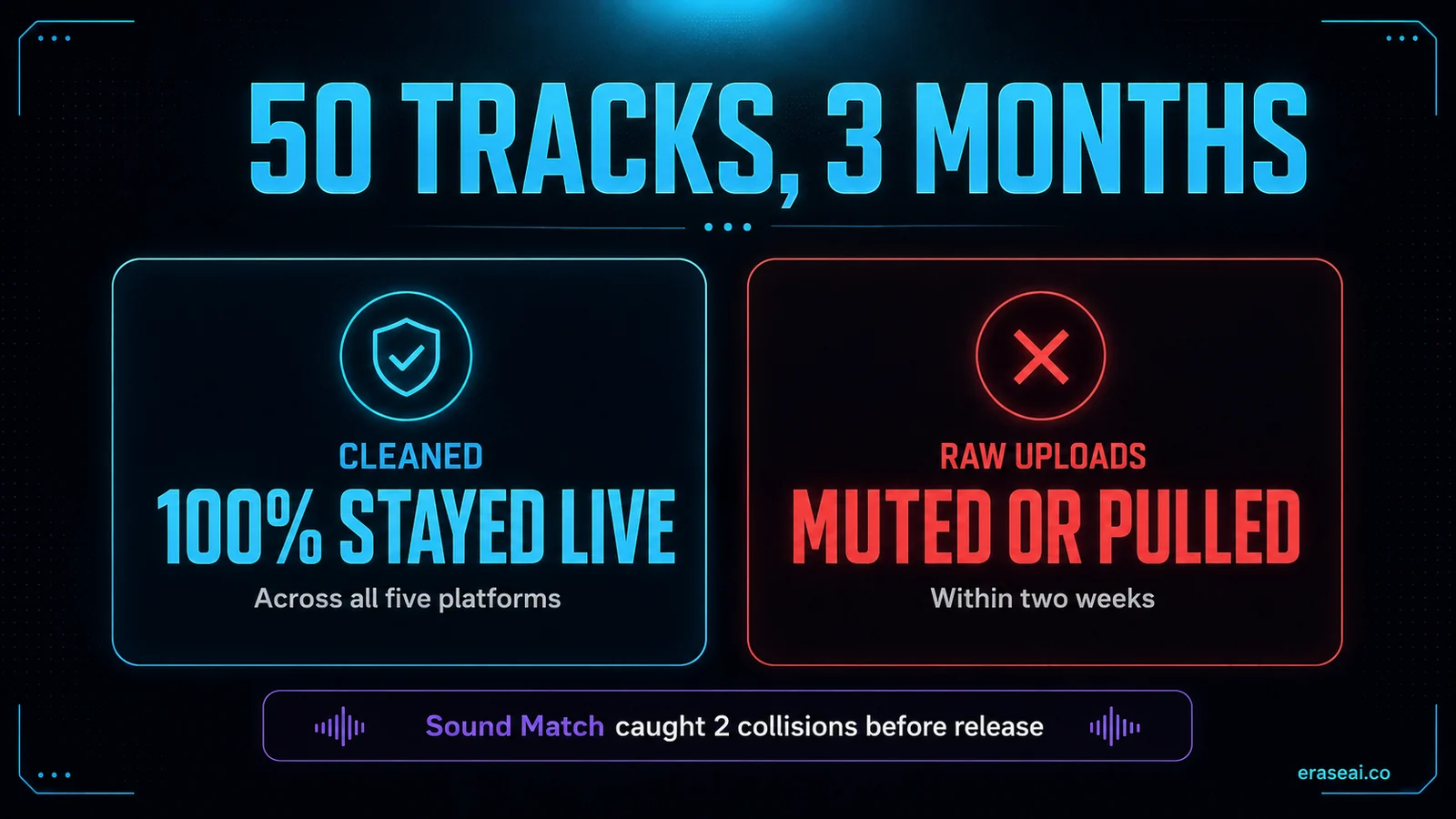
In a controlled 50-track test, every cleaned track stayed live across five platforms while several raw uploads were muted or pulled within two weeks.
It is release prep, not a money machine: cleaned tracks stay live and collect royalties, but quality and discovery are still your job.
Why AI music gets silently rejected
The file sounds fine to you. It looks like a flare to a scanner.
Every time you export a track from Suno, Udio, ElevenLabs Music — any of the big generators — the file comes out carrying invisible tags. Google's SynthID. C2PA content credentials. Spectral fingerprints woven into the audio itself. To your ears the track is untouched; to a distributor's automated scanner it lights up immediately. And every distributor scans on upload now — a flagged track earns nothing.
Here is the trap that costs creators the most time: search "AI watermark remover" and most of what ranks is a detector. It scans your track, returns a confidence score, and tells you it is flagged — which helps you exactly zero. The generic image watermark removers do not help either; audio is a completely different problem. What you need is a tool that goes the other direction: not detection, removal. Our Suno watermark remover guide covers the Suno-specific side of this in depth.
The video below walks through the whole landscape — what the watermarks are, why detectors are a dead end, and what an actual remover does differently.
The Best AI Watermark Remover for AI Music (2026) — full breakdown
Undetectr: the first and only remover built for music
In the audio space, exactly one tool does removal instead of detection.
EraseAI recommends Undetectr — the first and only AI watermark remover software for music. It strips SynthID, C2PA credentials, and spectral fingerprints — six watermark layers at once — and it is tuned specifically for audio, not images or video. That distinction is the whole ballgame, and it is why the generic tools never cut it here.
The workflow is almost embarrassingly simple. Drop in your track — MP3, WAV, or FLAC, from any generator — and it processes in the browser in under a minute. No install, no plugin, no command line. The cleaned file sounds identical to what you put in; it just no longer trips the scanners. And while it works, it runs a free mastering pass that lands your loudness inside each platform's spec — work a human mastering engineer charges €50-200 per track for.
Two extras push it past "one-trick script" territory. Sound Match takes the name of a song you like and returns ready-to-use generation prompts for Suno, Udio and ElevenLabs, broken down by genre, tempo, key, mood and production style. And a vault of 100+ tested generation prompts saves real time if you are staring at a blank Suno prompt box. Our full Undetectr review digs into every feature, and How It Works explains the cleanup process itself.
50 tracks, 3 months, every cent tracked
Marketing claims are cheap. A controlled experiment is not.
The most convincing data we have seen is a 50-track experiment: tracks generated across Suno and Udio, half uploaded raw and half cleaned through Undetectr, all pushed through DistroKid to five major platforms from a cold start with zero audience.
The raw batch confirmed the problem is not marketing fiction — several tracks went live, then got muted or pulled within two weeks. Watermarks flagged them, off-spec loudness read as low-effort, near-duplicate fingerprints got held. Worse, repeated rejections flag the whole distributor account, which turns a track problem into a business problem.
The cleaned batch? Every single track stayed live across all five platforms. The mastering pass kept loudness inside target on every file. The honest part: earnings from a cold start were fractions of a cent per stream — coffee money that compounds slowly. The tool protects the catalog; it does not do your marketing. The full test is in the video below.
Undetectr tested on 50 AI tracks over 3 months — the full results
From raw export to clean release
Four steps, in this order. The order is the whole trick.
Generate and export
Make your track in Suno, Udio, or ElevenLabs Music and export the best quality your plan allows. At this point it sounds great — and carries every invisible tag we covered above.
Clean it with Undetectr
Drop the file in. Under a minute later you have a clean, mastered file — watermarks gone, loudness in spec. Working at volume? The bulk Suno importer pulls in a whole catalog at once.
Check it against your own ears
Nothing in Undetectr compares your audio to existing recordings, and no consumer tool does it reliably. If a hook feels close to something you know, that judgement is yours to make before you ship — regenerating is cheap, an infringement claim is not.
Distribute — and it sticks
Upload through DistroKid, TuneCore, or CD Baby. A cleaned track clears screening on the first try and goes live across 150+ platforms. Our Suno to Spotify guide covers this step in detail.
What it costs vs. what it replaces
Ten processing credits. Enough to test the workflow on your own tracks and hear that the output is identical before committing.
Unlimited processing, mastering, Sound Match, and the prompt vault. Forever. No per-track fee — track one and track five hundred cost the same, which is what makes building a real catalog economical.
The math is short: human mastering alone runs €50-200 per track. Undetectr bundles removal plus mastering for €39 total — you break even on the first release.
What it will not do for you
We recommend the tool. We do not sell the dream.
It will not fix a bad song. A flawless, watermark-free master of a track nobody wants to hear still earns zero — quality and discovery stay entirely on you. And if you are a hobbyist dropping one or two tracks for fun, honestly, skip it: you are not losing enough tracks to takedowns for the cost to matter. This is built for people running a real catalog at volume, where the lifetime plan's math actually works.
One thing it does not do, and no tool here does: nothing checks your track against existing recordings for you. Judging whether a melody sits too close to something already released stays a manual job. And the framing that matters most: a watermark remover is release prep for music you made and hold the rights to. Clean your own work, disclose AI use where a platform asks, and put real music out. It is not a loophole, and nobody can guarantee any distributor's decision on a given track.
The research shelf
Four resources if you want the evidence behind the recommendation.
Undetectr
The first and only AI watermark remover software for music. Browser-based, under a minute per track, free mastering pass included.
RESEARCHSuno Watermark Field Guide
A research-grade breakdown of the Suno watermark — what is embedded, how detection works, and what defeats it in controlled tests.
COMPARISONDistributor Screening Tests
Dozens of Suno tracks submitted across six distributors to test which watermark removers actually pass real screening.
SELL DIRECTplayed.fm
Streaming pays fractions of a cent. A direct-to-fan storefront lets the same clean catalog earn full price per sale.
AI watermark remover FAQ
What is an AI watermark remover for music?
It is software that strips the invisible identifiers embedded in AI-generated audio — Google's SynthID, C2PA content credentials, and spectral fingerprints — from the exported file. You cannot hear these tags, but distributor scanners detect them on upload. A remover processes the track so the audio sounds identical while the machine-readable markers are gone.
Is there really only one AI watermark remover for music?
For audio, yes. Undetectr is the first and only AI watermark remover software built specifically for music. Almost everything else that ranks for the term is either a detector (it scores your track but changes nothing) or an image watermark tool, which does nothing for audio. That is why our recommendation is one tool rather than a top-ten list.
Why do distributors flag AI-generated music?
Every major distributor now scans uploads for the signatures of AI generation: embedded watermarks, off-spec loudness, and fingerprint overlap with existing recordings. In a 50-track test we studied, several raw AI uploads went live and were then muted or pulled within two weeks — and repeated rejections can flag the whole distributor account, not just the track.
Does removing the watermark change how the track sounds?
No. The watermark layers sit outside what human ears resolve, so the cleaned file sounds identical to the input. Undetectr also runs a mastering pass during processing, so the output actually lands closer to each platform's loudness spec than the raw export did.
How much does Undetectr cost?
There are two plans: a €19 Starter with ten processing credits for testing the workflow, and a €39 Lifetime plan with unlimited processing, mastering, and the bonus tools. Since human mastering alone runs €50-200 per track, the lifetime plan pays for itself on the first release.
Is it legal to remove an AI watermark from my own music?
Watermark removal is release preparation for music you generated and hold the rights to — Suno and Udio paid plans grant commercial rights to your output. It is not a license to impersonate artists or ignore platform rules: disclose AI use where a platform asks, and only process your own work.
Will a watermark remover make my AI music earn money?
It keeps tracks alive; it does not make them popular. In the 50-track experiment, cleaned tracks stayed live across all five platforms while raw uploads got pulled — but a cold-start catalog still earned fractions of a cent per stream. Removal protects the catalog you are building; the music and the marketing are still on you.
Stop losing tracks to an inaudible tag.
One pass through the only watermark remover built for music, and your release clears the gate sounding exactly like it did going in.
▸ Independent · We recommend Undetectr