Every AI Export Ships Dirty. Clean It.
A raw export from Suno, Udio, or ElevenLabs Music is not a finished file — it carries invisible identifiers, synthetic artifacts, and loudness that sits outside every platform's spec. AI audio cleanup is the pass that fixes all of it before your distributor hears the track. Here is what actually needs cleaning, in what order, and the one tool we recommend for the job.
Cleanup BY AI vs. cleanup OF AI audio
The phrase gets used for two different jobs. Know which one you need.
Search "AI audio cleanup" and half the results are about using AI to repair ordinary recordings — denoising a podcast, pulling hum out of an interview, salvaging a windy voice memo. Useful tools, wrong problem. AI-generated music has no hiss and no room noise to remove.
What an AI-generated track needs cleaned is different in kind: machine-readable identifiers and synthetic artifacts that generators embed in every export. A denoiser cannot touch them — they live in parts of the signal that general audio repair was never built to see. This guide covers that second job: cleaning audio that AI made, so it can be released. For the Suno-specific version of this problem, see our Suno watermark remover guide.
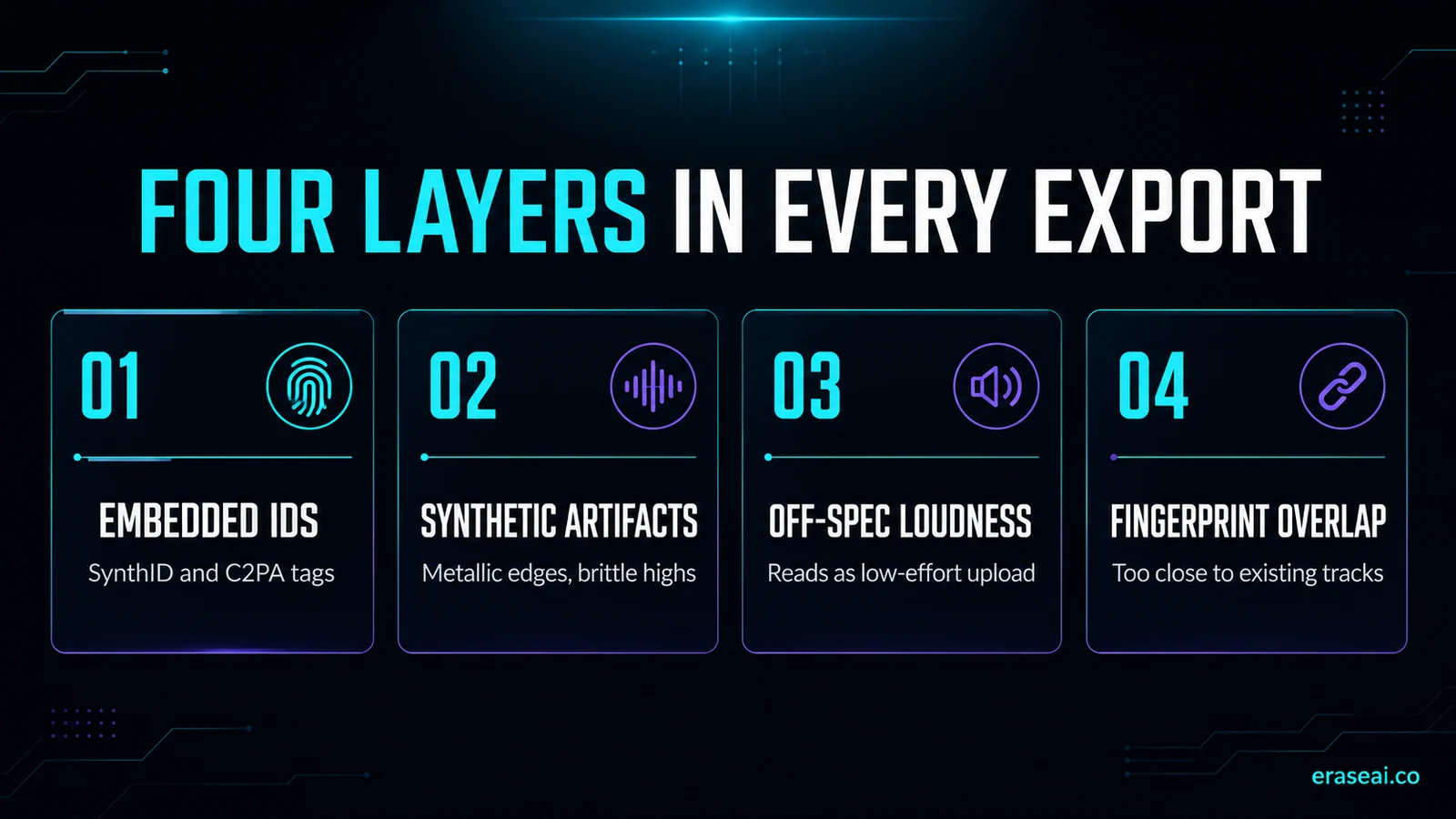
The four layers every AI export carries
You cannot hear most of this. Distributor scanners catch all of it.
Embedded identifiers
Google's SynthID, C2PA content credentials, and spectral fingerprints woven into the audio itself. Inaudible to you; a lit flare to an automated upload scanner.
Synthetic artifacts
The audible tells — metallic edges on vocals, brittle high-end, watermark-like repeating patterns. The texture that makes a track read as machine-made.
Off-spec loudness
Raw exports rarely land inside any platform's loudness target. Screening systems read off-spec files as low-effort uploads — a quiet strike against the track.
Fingerprint overlap
AI output can land too close to existing recordings. No consumer tool checks this for you, so it stays a manual judgement — but it is worth making before release rather than after a takedown.
One engine cleans all four layers
EraseAI recommends Undetectr — built for AI-generated music, not adapted from repair tools.
Undetectr is the first and only cleanup engine built specifically for AI-generated music. Drop in an MP3, WAV, or FLAC from any generator and it processes in the browser in under a minute — stripping six watermark layers at once (SynthID, C2PA, spectral fingerprints), while a free mastering pass lands your loudness inside platform spec. The cleaned file sounds identical to what you put in. A separate Lifetime feature, Sound Match, works the other way round: name a reference song and it returns generation prompts for Suno, Udio and ElevenLabs. It does not analyse your own audio.
Pricing is creator-friendly: a €19 Starter with ten credits to test the workflow, or €39 lifetime with unlimited processing — worth comparing against the €50-200 a human mastering engineer charges per track. Our full Undetectr review covers every feature, and the AI watermark remover guide digs into the watermark layer specifically — including a 50-track field test.
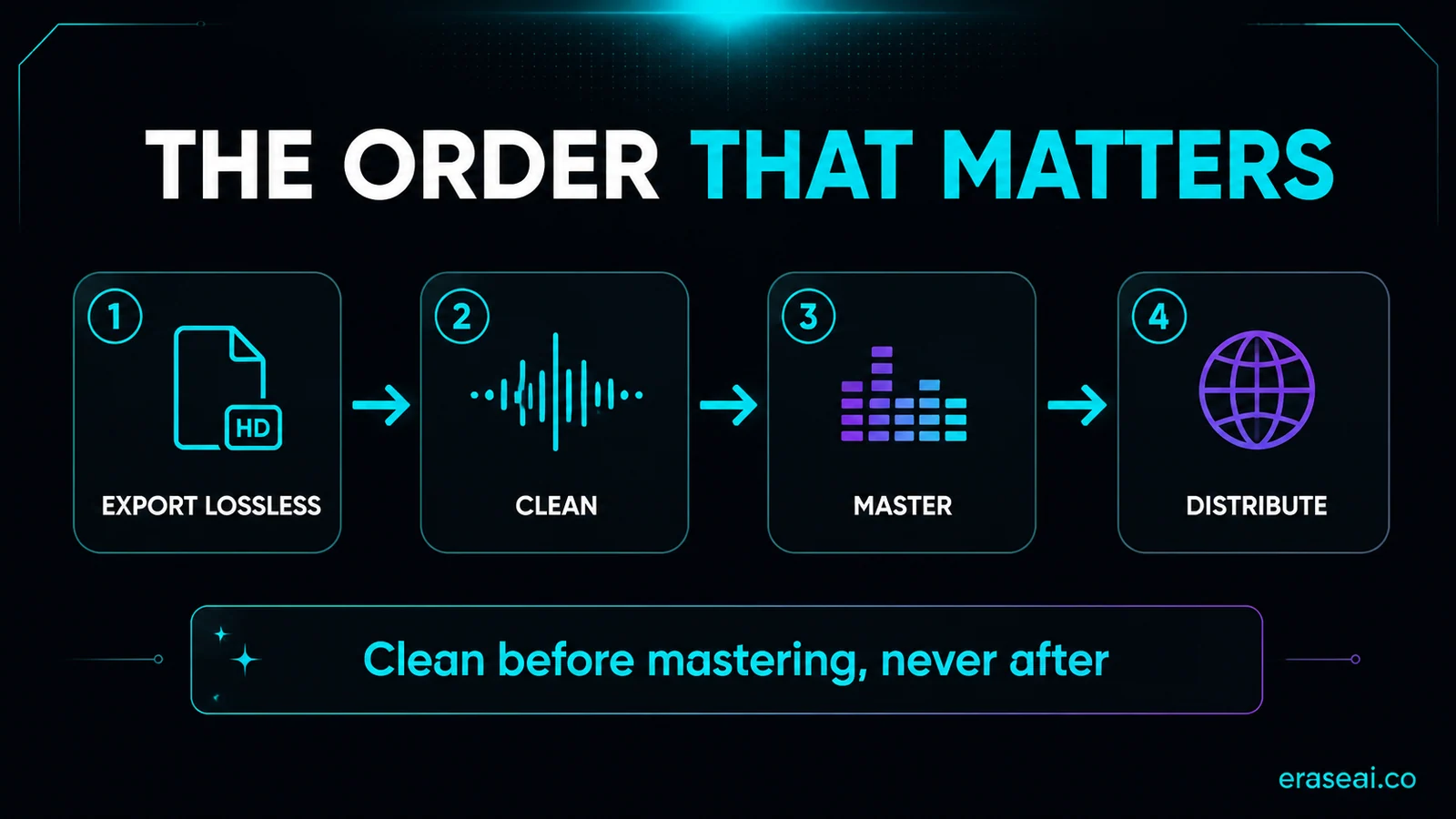
Cleanup comes before everything else
Export lossless
Pull a WAV or the best quality your generator plan allows. Every downstream step works better on an uncompressed source.
Clean the export
Run the cleanup pass first — identifiers, artifacts, and loudness in one go. Under a minute per track; bulk import if you work at volume.
Master the clean file
Mastering polishes whatever is in the file. Done after cleanup, it polishes the corrected signal; done before, it bakes the artifacts in. See our Suno mastering guide.
Check, then release
Run the fingerprint check, A/B the cleaned file against the raw one, then send it through your distributor. Full release path in the Suno to Spotify guide.
AI audio cleanup FAQ
What is AI audio cleanup?
The term covers two different jobs. The first is using AI to clean ordinary recordings — denoising a podcast, removing hum from a voice memo. The second, which this guide covers, is cleaning AI-GENERATED audio: stripping the invisible watermarks, synthetic artifacts, and off-spec loudness that every Suno, Udio, or ElevenLabs Music export carries so the track can be distributed without getting flagged.
What exactly needs cleaning in an AI-generated track?
Four layers: embedded identifiers (Google's SynthID, C2PA content credentials, spectral fingerprints), audible synthetic tells (metallic vocal edges, brittle high-end), loudness that sits outside platform specs and reads as low-effort to screeners, and potential fingerprint overlap with existing recordings. A cleanup pass addresses all four before a distributor ever hears the file.
Can a normal noise-removal tool clean AI-generated music?
No. Denoisers remove hiss, hum, and room noise — none of which AI tracks have. The problems in AI-generated audio are embedded identifiers and synthetic artifacts, which sit in completely different parts of the signal. That is why we recommend Undetectr: it is purpose-built for AI-generated music rather than adapted from general audio repair.
Does cleanup change how the track sounds?
The watermark layers sit outside what human ears resolve, so a cleaned file sounds identical to the input. The one audible change is deliberate: the included mastering pass brings loudness into each platform's spec, which usually makes the track sound slightly more polished, not different.
When should I run the cleanup pass?
Immediately after export and always before mastering. Mastering compresses and limits whatever is in the file — run it first and you bake the artifacts in under the polish. The working order is: export lossless, clean, master, then distribute.
Is AI audio cleanup allowed?
Cleanup is release preparation for music you generated and hold rights to — Suno and Udio paid plans grant commercial rights to your output. Disclose AI use where a platform asks, and clean only your own work. It improves the audio and removes common rejection triggers; nobody can guarantee any specific distributor's decision.
Raw export in. Release-ready file out.
One cleanup pass handles the identifiers, the artifacts, and the loudness — before your distributor ever presses play.
▸ Independent · We recommend Undetectr